
Create and customize VLC media player skins
VLC Skin Editor, developed by VideoLAN, is a free application designed to help users customize the appearance of the VLC media player. It allows designers to create personalized VLC skins, eliminating the need to work directly with XML files. By simplifying the skin creation process, the tool provides an accessible environment for users who want to modify VLC’s interface. Its focused design and ease of use make it a practical option for those looking to personalize their VLC experience.
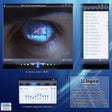
VLC Skin Editor offers a graphical WYSIWYG interface that simplifies the process of creating VLC skins. Users can add images and fonts directly from files and position interface elements using the mouse or arrow keys. The editor includes a direct preview feature, allowing designers to see how the skin will look and how it appears in different states, such as playing or pausing. By eliminating the need for XML knowledge and providing visual editing tools, the application streamlines the skin design process.
Visual skin creation with built-in preview
Import, export, and VLC skin compatibility
VLC Skin Editor supports the import and export of VLT files, which are packed VLC skins. This allows users to create new skins or modify existing ones. The editor can also handle skins created manually, making it suitable for working with previously developed designs.
However, the application is designed exclusively for VLC Media Player’s skin system and does not support third-party software. Users looking for a more versatile interface design tool may find its scope limited to VLC customization only.
Structured editor for custom VLC skins
VLC Skin Editor provides a structured and visual workflow for creating custom VLC skins. With its WYSIWYG interface, direct preview functionality, and support for importing and exporting VLT files, the application simplifies the skin design process without requiring XML knowledge. While it is limited to VLC Media Player, its dedicated focus makes it a practical option for users who want to personalize VLC’s interface.
Pros
- Visual skin editing interface
- No coding knowledge required
- Built-in preview functionality
- Supports skin file import and export
- Allows custom image and font usage
Cons
- Limited to VLC skins only