
Simple control over network profiles
Free IP Switcher is a network configuration utility developed by Eusing Software. Free IP Switcher allows users to create and switch between multiple network profiles without manually reconfiguring settings each time. Free IP Switcher is designed for environments where devices frequently move between different networks. Free IP Switcher focuses on storing IP address, subnet mask, gateway, and DNS details in saved profiles for faster switching.
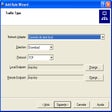
Free IP Switcher enables users to create multiple network profiles and apply them with a single action. Free IP Switcher supports manual entry of IP address, subnet mask, default gateway, and DNS server information. Free IP Switcher reduces the need to open system network settings repeatedly when changing environments. The program works by applying saved configurations directly to the selected network adapter, helping streamline routine network adjustments.
Managing multiple configurations efficiently
Core features and practical limitations
Free IP Switcher focuses on core IP and DNS switching rather than advanced network diagnostics or monitoring. Free IP Switcher does not include integrated traffic analysis, firewall tools, or remote management capabilities. The interface in Free IP Switcher is structured around profile management, keeping navigation centered on creating, editing, and applying configurations. While the tool simplifies switching tasks, it remains dependent on system-level network permissions to apply changes.
A focused utility for network changes
Free IP Switcher delivers a straightforward way to manage recurring network configuration changes. Free IP Switcher concentrates on saving time when moving between different IP setups instead of expanding into broader networking functions. For users who regularly alternate between predefined network environments, Free IP Switcher provides a clear and task-oriented solution.
Pros
- Supports multiple saved network profiles
- Quick switching between IP and DNS configurations
- Manual control over network parameters
Cons
- Limited to core configuration features
- No advanced network diagnostics or monitoring tools