
FolderVisualizer for Windows
- By Abelssoft
- Trial version
- 2013

Top Recommended Alternative

Technical
- Title
- FolderVisualizer 2013 for Windows
- Requirements
- Windows 2003
- Windows 10
- Windows 7
- Windows 8.1
- Windows 8
- Windows XP
- Windows Vista
- Language
- English
- Available languages
- German
- English
- License
- Trial version
- Latest update
- Author
- Abelssoft
- SHA-1
390572eacbf37efa503468f5e9484b023e4af217
- Filename
- FolderVisualizer.exe
Program available in other languages
FolderVisualizer for Windows
- By Abelssoft
- Trial version
- 2013
Changelog
We don’t have any change log information yet for version 2013 of FolderVisualizer. Sometimes publishers take a little while to make this information available, so please check back in a few days to see if it has been updated.
Can you help?
If you have any changelog info you can share with us, we’d love to hear from you! Head over to our Contact page and let us know.
Explore apps










Related software

CheckDrive
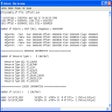
Unfortunately, the Windows operating system is not the most stable on the market today, and if you have ever had a system crash then you know how much of a pain it can be. It’s a good job there are some tools available to help. Take, for instance, CheckDrive. CheckDrive provides an easy way to check your hard drives for any errors that have resulted from system crashes or when your PC has been switched off without correctly using Windows shutdown. The app is able to detect the current fragmentation status of the your hard drive and is bale to show the amount of redundant data on the disk. In addition, CheckDrive shows the S.M.A.R.T. data and calculates a health status from it. You also have the option to visualize the usage of your hard drives with the 'FolderVisualizer' module. With this, you are able to analyze your disk drive and view exactly which files and folders require the most space on your disk. It is able capable of creating lists of the top-100 files that take up the most space, along with statistics and charts about different file types on your drive. Overall, CheckDrive is a very useful tool to have on your system. It is lightweight, easy to use and leaves a small footprint. If you are prepared to buy the Plus version you also gain access to the auto check feature, which lets you regularly check your hard drives at intervals set up with the task scheduler.

AnyDesk
Effortless remote access with AnyDesk

Adobe Acrobat Reader DC
Reliable PDF viewing and annotation for all users

Google Chrome
A fast, feature-rich browser

2007 Microsoft Office Add-in: Microsoft Save as PDF or XPS
2007 Microsoft Office Add-in: Microsoft Save as PDF or XPS for Windows explained

WinRAR 64-bit
Trusted compression for personal and professional use

WinRAR 32-bit
A reliable and secure file compressor
VirtualDJ
Feature-packed DJ software for all experience levels

CCleaner Free
Cleaning and optimization made simple

VLC Media Player 32-bit
A versatile media playback solution

Avast Free Antivirus
Free and powerful security tool

2007 Microsoft Office suite Service Pack 3
Free security and performance boost for legacy Office
Last updated

SHAREit
File sharing made fast and simple

7-Zip 64-bit
A reliable tool for managing compressed files

Driver Booster Free
Enhanced drivers bring smoother stability

LDPlayer
A free and robust Android emulator for PC gaming

DroidKit
Droidkit: A comprehensive data recovery tool
Speccy
Detailed PC system information at a glance

IObit Unlocker
Simple tool for stubborn file access

OpenAL
Hear the virtual world

TreeSize
A detailed guide to disk space

Advanced SystemCare
A tidy-up tool for everyday PC care

DriverEasy
A simpler way to manage device drivers

Bandicam Screen Recorder
An efficient screen recording tool
Latest version
FolderVisualizer foldervisualizer7
View morePopular in System Tuning & Utilities
WinRAR 64-bit
WinRAR 32-bit
CCleaner Free

MSI App Player
SHAREit

WinBox
Windows 7

3uTools

Recuva

Monect PC Remote