
CFF Explorer still rewards curious users
CFF Explorer remains an interesting choice for users who need to inspect Portable Executable files without reaching for a larger commercial analysis suite. Its combination of PE editing, resource inspection, and developer-oriented utilities gives the desktop program a technical character, making it better suited to programmers, developers, and reverse engineers.
CFF Explorer is appealing when PE32/64 support and .NET awareness matter. It combines file information, resources, dependencies, and internal structures, while its standalone design avoids requiring the .NET Framework for .NET formats. Though somewhat dated, its specialized capabilities remain substantial for freeware software.
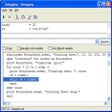
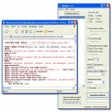
CFF Explorer’s biggest strength is its technical depth. It supports PE32 and PE64, provides a hex editor, and includes tools for rebuilding executables, modifying fields, handling resources, and examining dependencies. Its Resource Editor also supports .NET resources, while the Dependency Walker and quick disassembler provide useful analysis options for users examining executable internals, making it suitable for detailed inspection, development, and reverse-engineering tasks.
A deep dive into portable executables
Its breadth comes with a noticeable learning curve. Users unfamiliar with PE structures may find the terminology, fields, and editing options difficult to understand, while modifying executable internals can produce unintended results without sufficient knowledge. This makes the tool better suited to informed experimentation, development work, and technical analysis than casual file editing. Beginners may need time to understand how individual components affect an executable.
The collection of supporting utilities gives the program flexibility beyond a basic PE viewer. Users can work with scripts, extensions, signatures, resources, and file scanning alongside the core editor. The interface may feel old-fashioned compared with newer analysis software, but its focused capabilities remain valuable for users needing detailed executable inspection and modification. Its specialized approach favors users who prioritize functionality over a polished, modern presentation.
A specialized tool worth knowing
CFF Explorer remains a capable option for PE analysis and editing, particularly for programmers, reverse engineers, and technically experienced users. Its extensive feature set is impressive for freeware, offering practical tools for examining and modifying executable structures. However, the dated interface and technical learning curve may limit its broader appeal. If you understand executable formats and need hands-on control, this specialized utility remains worth exploring.
Pros
- Extensive PE support
- Strong .NET handling
- Built-in hex editor
- Powerful scripting options
Cons
- Steep technical learning curve
- Dated interface
- Editing requires caution