
Installed through our safe & fast downloader ()
Filehippo

Safe shield iconSafe Downloader

The Safe Downloader downloads the app quickly and securely via FileHippo’s high-speed server, so that a trustworthy origin is ensured.
In addition to virus scans, our editors manually check each download for you.

Advantages of the Safe Downloader

  • Malware protection informs you if your download has installed additional unwanted software.
  • Discover additional software: Test new software that are waiting to be discovered in the downloader.
  • With us you have the choice to accept or skip additional software installs.

Editors' Review · July 9, 2026

TED Notepad is a lightweight editor for Windows that has been designed for plain-text editing. The app's user interface appears very similar to Windows Notepad, but TED Notepad provides many other features and tools for quick, easy and advanced editing techniques.

Top Recommended Alternative

TED Notepad offers text-processing functions and tools, and has numerous hot keys and clipboard features. There are also several innovative features that you won't find in the standard Windows Notepad. TED Notepad has been designed especially for plain-text documents and lists, and creating scripts and html-like files.

TED Notepad has a simple, focused design, multiple clipboards and many useful features, but the downsides are that the app only supports a single document at a time and it also doesn't have any syntax highlighting features.

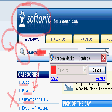
Enlarged image for TED Notepad
TED Notepad 0/1

Technical

Title
TED Notepad 6.4.1 for Windows
Requirements
  • Windows Vista
  • Windows NT
  • Windows 8
  • Windows 7
  • Windows 11
  • Windows 2000
  • Windows 8.1
  • Windows XP
  • Windows 10
Language
English
Available languages
English
License
Free
Latest update
Author
Jsimlo
SHA-1
6f1f09b4024b91c33a69c1f649ca96127b47b20a
Filename
TED_Notepad_V6.4.1.exe

Program available in other languages


- Added: Support for IME composing window.- Added: Added support for DPI-aware scaling.- Added: Push Line Up and Push Line Down for moving lines around.- Added: Drag&Drop editing; moving text by mouse is available via both buttons.- Added: Setting: Auto-save Untitled documents (into the Temp path).- Added: Setting: Store auto-save files in the Temp path instead of current directory.- Added: Setting: Store backup files in the Temp path instead of current directory.- Added: Setting: Temp path for storing autosave and backup files to, with relative paths support.- Added: Setting: Create backup files with hidden attribute.- Added: Setting: Create multiple backup files and rotate them.- Added: Setting: Warn on loading binary files.- Added: Setting: Ignore case in quick Sort tools.- Added: Check for Updates and Automatic Check for updates.- Added: If there is a new version available, hint is displayed in the StatusBar.- Added: Command line parameter: /u Check for Updates.- Added: Command line parameter: /l Goto Line accepts negative numbers and works from the end.- Added: Command line parameter: /c Goto Offset accepts negative numbers and works from the end.- Added: Command line parameter: /s Set Selection accepts negative numbers and works from the end.- Added: Command line parameters: /l Goto Line and /c Goto Offset can be used together.- Fixed: Italics fonts are no longer clipped.- Fixed: Selection background does not clip nearby characters anymore.- Fixed: Each tab character now enforces at least some minimum visual extent.- Fixed: Selected end-of-line extent and visible end-of-line extent were unified.- Fixed: When switching to another instance of the same document, no unexpected questions are asked.- Fixed: Message about another instance takes precedence over message about lost auto-save found.- Fixed: Document is not auto-saved if there are no modifications since last auto-save.- Fixed: The user is now warned that it is necessary to save recovered document.- Fixed: Auto-save file was not always removed after successful recovery.- Fixed: Canceling Revert operation no longer removes current auto-save.- Fixed: Chosen encoding or code page is no longer reset during Revert.- Fixed: Overwrite flag is no longer reset during Revert or Re-open.- Fixed: Creating a new file during loading adds such new file to Recent files.- Fixed: Relative paths are supported for Template file and are not updated during loading.- Fixed: Changing current encoding also changes BOM flag to reasonable default.- Fixed: Default newlines are used upon no newlines in the loaded file.- Fixed: Default newlines are used upon mixed newlines in the loaded file when No mixed newlines are in force.- Fixed: Default newlines are used upon mixed newlines in the document if No mixed newlines are turned on.- Fixed: Lists of available codepages split into categories for easier navigation.- Fixed: Shift+BackSpace deletes previous character just like a simple BackSpace.- Fixed: Insert Recently Inserted text was needlessly unavailable sometimes.- Fixed: Sorted Complete Word dialog was inserting incorrect suggestions.- Fixed: Right-click menu could appear on a wrong position upon several displays.- Fixed: Scrolling by mouse via selecting text outside of edit window has been slowed down.- Fixed: Message is displayed after successful replace and no further occurrences.- Fixed: Replace tool used empty string upon undefined back-references, instead of skipping such occurrences.- Fixed: Propper icon recovery while re-starting crashed Windows Explorer.- Fixed: Keyboard focus was not relinquished properly upon Hide to Tray.- Fixed: Saving widnows position and/or size and restoring them was reviewed.- Fixed: Config INI file is only updated upon actual changes in the config data.- Fixed: Some funky edge cases were fixed in various tools and features.- Esc key cancels any ongoing mouse operation.- Right-click can also be used to select text before the Right-click menu appears.- Paste from clipboard thru Ctrl+Right-click occurs only upon releasing the button.- Selected lines are slightly accentuated by double-drawing the text.- ODO meter and Trip meter were added to the Utility info dialog for amusement.- Overwrite mode menu item added to Options menu for convenience.- Date/time glue setting moved from the Tools page to the General page.- Warning is show in the Status Bar upon saving Unicode file with no BOM.- Document title is always displayed in the taskbar and caption, even if also showing the full file path.- Stay on Top is saved along with other common options in the Basic Options category.- Newlines are now decoded in Could not find messages; with a new setting to disable this.- Progress percentage during re-wrap has been rewritten to give a more linear user experience.- The .reloc section was removed from executables in a hope all future Windows will accomodate.- Executable code was moved back to the .text section where it belongs.- Read-only data was moved back to the .rdata section where it belongs.- Text storage engine improved to support files with truckload of lines.- Text storage engine memory usage and general behaviour optimized.- Edit box behaviour and other code optimized.- Utf-8 recognition algorithm fortified.

Can you help?

If you have any changelog info you can share with us, we’d love to hear from you! Head over to our Contact page and let us know.

Explore apps

Related software

Last updated