
Installed through our safe & fast downloader ()
Filehippo

Safe shield iconSafe Downloader

The Safe Downloader downloads the app quickly and securely via FileHippo’s high-speed server, so that a trustworthy origin is ensured.
In addition to virus scans, our editors manually check each download for you.

Advantages of the Safe Downloader

  • Malware protection informs you if your download has installed additional unwanted software.
  • Discover additional software: Test new software that are waiting to be discovered in the downloader.
  • With us you have the choice to accept or skip additional software installs.

Editors' Review · August 24, 2022

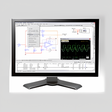
Image Analyzer is an advanced image editing application that is coupled with enhancement and analysis software. Image Analyzer also contains plugin support to help you enhance your editing techniques. Supported plugins include; combine for High Dynamic Range (HDR), microscopic imaging, text and vector graphics, 3D modeling, fractal interpolation, raster export, JPEG 2000 and TIFF file format handler, PCA color stretch and 8fb plugin interface.

Key Features Include:

  • Automatic brightness, contrast, gamma and saturation adjustment.
  • Retinex filter for reducing shadows and increasing local contrast.
  • Color model conversion: RGB, CMY, HSI, Lab, YCbCr, YIQ and PCA.
  • Math expression module for creating and transforming images and advanced "pocket" calculator with equation solver.
  • Plugin system for adding more specialized features.
  • Build-in conventional and adaptive filters for noise reduction, retouch tools including clone, spot healing and warping brushes.
  • Supported file formats include: read/write BMP, ICO, CUR, WMF, EMF, PNG, MNG, GIF, PCX, JPEG and JPEG 2000 imagesRead CR2, RAS, PNM, PGM, PPM, HIPS and Matlab files.
  • Scanner, camera and printer support.
  • User specified filters in spatial and frequency domain.
  • Easy red-eye removal.
  • Basic support for layers.

Overall, the Image Analyzer application will give you numerous advanced editing techniques and features on top of the standard tools that are found with most editing software.


Enlarged image for Image Analyzer
Image Analyzer 0/2

Technical

Title
Image Analyzer 1.42.1 for Windows
Requirements
  • Windows Vista
  • Windows 8
  • Windows 7
  • Windows ME
  • Windows 2000
  • Windows XP
  • Windows 10
Language
English
Available languages
  • Danish
  • German
  • English
  • Finnish
  • French
  • Italian
  • Dutch
  • Polish
  • Portuguese
  • Russian
License
Free
Latest update
Author
Meesoft
SHA-1
ebcf6c438c649b3039c65ab4d87c50270fb5938d
Filename
ImageAnalyzer1.36.1.exe

Program available in other languages


* Improved support for Windows large fonts setting (disable display scaling on high DPI monitors).* JPEG XR import.* Multiply mode in Fade undo dialog.* Screen, soft light and hard light layer blend modes.* Improved white balance correction in Increase Local Contrast dialog.* More settings are saved between sessions.* Disable map file compression.* Pixel art scaling operation for icons and other graphic (xBR/HQx/Waifu2x).* Stretch selection operation for resizing part of an image.* Color tone adjustment dialog.* Blackman resize mode.* Support for high DPI monitors.* Support for more BMP, CR2 and TIFF variants.

Can you help?

If you have any changelog info you can share with us, we’d love to hear from you! Head over to our Contact page and let us know.

Explore apps

Related software

Last updated