
A flexible player for everyday media
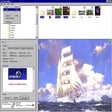
Zoom Player Free is a customizable media player for Windows designed for users who want complete control over video and audio playback. Supporting numerous media formats, it offers flexible playback options that allow you to tailor your viewing and listening experience to suit your personal preferences during daily entertainment.
Top Recommended Alternative

The free edition includes practical tools for playlist management, precise playback adjustment, and handling diverse media types. While certain advanced features are reserved for paid upgrades, Zoom Player Free remains a reliable, feature-rich choice for users seeking a powerful media player without needing to purchase additional software or premium subscriptions..
Useful playback tools for different media formats
Zoom Player Free focuses on reliable media playback, with support for various video and audio formats. Its playlist management helps users organize files for continuous playback, while playback speed controls make it easier to review clips or skip through familiar content. The range of supported formats reduces the need for separate players, although some files may still require compatible decoders or additional components.
Beyond basic playback, the software offers customizable keyboard and mouse controls, letting users adjust common actions to suit their habits. Options for seeking, subtitles, audio tracks, and aspect ratios help make watching different types of content more convenient. However, its many settings may take time for beginners to understand. Users seeking a simpler experience could compare it with VLC media player, which also handles many common formats.
Another useful feature is the Install Center, which can identify missing or outdated playback components and offer suitable downloads. This can help resolve compatibility issues, though installing extra components may require additional steps. It is available without purchasing a paid edition, but features differ between Free, Pro, and MAX. Checking the edition’s feature list before installation helps set clear expectations and avoids confusion over unavailable tools.
A capable option for personal media libraries
Zoom Player Free is a useful choice for people who want flexible playback, playlist tools, and support for many media formats without paying for the basic edition. Its range of settings offers room to personalize the experience, although beginners may need time to learn the controls. It is worth trying for everyday media use, especially when a straightforward player does not offer enough playback options.
Pros
- Supports many audio and video formats
- Includes playlist and playback controls
- Offers customizable keyboard and mouse actions
- Available as a free edition
Cons
- Some features require paid editions
- Advanced settings may confuse beginners
- Certain media files may need extra components