
UPnP Wizard makes port forwarding simpler
UPnP Wizard is a straightforward networking utility designed to simplify router port forwarding. Instead of working through a router’s web interface, it lets users manage UPnP port mappings from a dedicated tool. Its focused approach suits people who need basic forwarding controls without navigating complicated router administration pages or menus.
UPnP Wizard makes a good impression with its simple interface and practical features. It can display existing mappings, create new ones, and remove entries without repeatedly opening the router’s configuration page. Support for TCP and UDP mappings and a command-line utility also benefits technical users handling repeatable networking tasks.
The main strength is how directly it handles port mappings. Users can view existing forwarding information, add entries by specifying a local IP, internal and external ports, protocol, and lease duration, or remove mappings when they are no longer needed. The interface avoids unnecessary extras, making common forwarding tasks easier to understand for users familiar with basic networking concepts and router settings without unnecessary complexity.
Straightforward port mapping, with limits
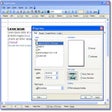
For routine tasks, UPnP Wizard is pleasantly uncomplicated. The Add Port Mapping dialog keeps important settings together, while local IP addresses can be selected or entered manually. The optional command-line version adds useful automation possibilities, including scheduled tasks, scanning compatible UPnP devices, listing existing mappings, and selecting specific network interfaces when managing forwarding more efficiently during regular network administration tasks.
The biggest drawback is its reliance on UPnP support from the router and network environment. The developer states that it works with most routers supporting UPnP, but compatibility is not universal. Users who prefer manual forwarding may also find the tool unnecessary. Its narrow purpose is useful for focused tasks, but limits its value beyond straightforward port management and basic router configuration needs.
A focused port forwarding utility
UPnP Wizard is worth considering for users who regularly manage router port mappings and want a simpler alternative to a router’s administration interface. Its straightforward controls, protocol options, and automation support make it practical for focused networking tasks, while UPnP dependency and limited scope reduce its broader appeal. It is best suited to users who need convenient forwarding management rather than an all-purpose networking suite.
Pros
- Simple port management
- TCP and UDP support
- Command-line automation
- Easy mapping removal
Cons
- Requires UPnP support
- Limited networking scope
- Manual setup may suffice