
Installed through our safe & fast downloader ()
Filehippo

Safe shield iconSafe Downloader

The Safe Downloader downloads the app quickly and securely via FileHippo’s high-speed server, so that a trustworthy origin is ensured.
In addition to virus scans, our editors manually check each download for you.

Advantages of the Safe Downloader

  • Malware protection informs you if your download has installed additional unwanted software.
  • Discover additional software: Test new software that are waiting to be discovered in the downloader.
  • With us you have the choice to accept or skip additional software installs.

Editors' Review · October 22, 2019

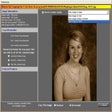
Microsoft Image Composite Editor is an advanced panoramic image stitcher. Given a set of overlapping photographs of a scene shot from a single camera location, the application creates a high-resolution panorama that seamlessly combines the original images. Microsoft Image Composite Editor can save your stitched panorama in a wide variety of ways, from common formats like JPEG and TIFF to the multiresolution tiled format used by several panorama viewers.

Top Recommended Alternative

Features:

  • State-of-the-art stitching engine
  • Automatic exposure blending
  • Choice of planar, cylindrical, or spherical projection
  • Orientation tool for adjusting panorama rotation
  • Automatic cropping to maximum image area
  • Wide range of output formats, including JPEG, TIFF, BMP, PNG, HD Photo, and multiresolution tiled formats for panorama viewers
  • Support for "structured panoramas" — panoramas consisting of hundreds of photos taken in a rectangular grid of rows and columns
  • No image size limitation — stitch gigapixel panoramas
  • Support for input images with 8 or 16 bits per component
  • Ability to read raw images using WIC codecs
  • Photoshop layer and large document support
  • Stitch directly from a video (only on Windows 7)
  • Automatic lens vignette removal
  • Native support for 64-bit operating systems
  • Accelerated stitching on multiple CPU cores
  • Options dialog to control memory usage and scratch disk locations
Enlarged image for Microsoft Image Composite…
Microsoft Image Composite Editor 0/2

Technical

Title
Microsoft Image Composite Editor 2.0.3 for Windows
Requirements
  • Windows 7
  • Windows Vista
  • Windows XP
  • Windows 10
  • Windows 2000
  • Windows 2003
  • Windows 8
Language
English
Available languages
English
License
Free
Latest update
Author
Microsoft
SHA-1
d437c1b92198d6357436058e16613fd4c3b1035f
Filename
ICE-2.0.3-for-32-bit-Windows.msi

Program available in other languages


#New features in version 1.4.4- Stitch directly from a video (only on Windows 7)- Automatic lens vignette removal- Improved blending engine- Options dialog to control memory usage and scratch disk locations#Additional features- Accelerated stitching on multiple CPU cores- Ability to publish, view, and share panoramas on the Photosynth web site- Support for "structured panoramas" — panoramas consisting of hundreds of photos taken in a rectangular grid of rows and columns (usually by a robotic device like the GigaPan tripod heads)- No image size limitation — stitch gigapixel panoramas- Support for input images with 8 or 16 bits per component- Ability to read raw images using WIC codecs- Photoshop layer and large document support- State-of-the-art stitching engine- Automatic exposure blending- Choice of planar, cylindrical, or spherical projection- Orientation tool for adjusting panorama rotation- Automatic cropping to maximum image area- Native support for 64-bit operating systems- Wide range of output formats, including JPEG, TIFF, BMP, PNG, HD Photo, and- Silverlight Deep Zoom



Explore apps

Related software

Last updated