
The ultimate desktop assistant for your schedule
Hot Alarm Clock helps you manage a chaotic schedule that can otherwise be completely overwhelming, especially when you are balancing demanding work tasks, personal goals, and crucial appointments. Standard desktop clocks barely scratch the surface of what a busy professional or student actually needs to stay on track.
Hot Alarm Clock steps in as a robust, all-in-one time management utility designed to completely revolutionize your daily routine. It replaces a dozen separate apps by combining advanced alarms, highly customizable countdown timers, stopwatches, and even a prioritized to-do list right onto your Windows desktop.
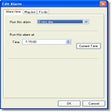
Hot Alarm Clock stands out due to its incredible flexibility and advanced feature set. You can configure highly complex, recurring alarms that trigger on specific days, launch essential work applications automatically, or even wake your computer up from sleep mode. The ability to fade in your favorite MP3s or stream live online radio stations makes mornings far more enjoyable than jarring standard alarms.
Productivity features
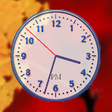
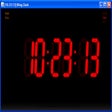
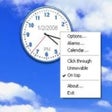
Beyond simple wake-up calls, the dual inclusion of a prioritized to-do list and a multi-timezone world clock makes it an excellent command center for remote workers. The interface is highly personalizable, offering 27 distinct appearance themes alongside versatile floating windows. You can easily tweak fonts, transparency, and layouts to match your digital workspace perfectly, ensuring vital information is always visible.
However, the sheer depth of this feature-rich program does come with a couple of noticeable drawbacks. Because it packs so many complex tools into one interface, the initial setup can feel somewhat intimidating and overly complicated for casual users. Additionally, its advanced automation relies entirely on your PC being left in sleep mode rather than fully powered off, which might frustrate users who prefer shutting down completely.
Final verdict
Hot Alarm Clock is an exceptional, reliable tool for anyone looking to maximize their daily productivity and master their schedule. While the interface has a slight learning curve and requires your PC to remain in sleep mode for automation, the immense organizational benefits far outweigh these minor hitches. It is a highly recommended upgrade for anyone outgrowing basic time tracking.
Pros
- Extremely customizable with 27 appearance themes and floating windows
- Smart PC power management automatically wakes your computer from sleep
- Built-in prioritized to-do list and flash birthday reminders
- Supports multi-format audio playback and live online radio streams
Cons
- Feature-rich interface can feel intimidating and complicated for casual users
- PC automation features will not function if the computer is fully shut down
- Lacks seamless cloud synchronization across mobile devices