
Cornerstone of multimedia on Windows
DirectX by Microsoft Corporation is a core framework that powers graphics, audio, and video across countless games and multimedia applications. Built directly into Windows, DirectX provides developers with the tools to unlock advanced hardware features, resulting in smoother visuals, immersive sound, and a more responsive overall experience.
Driving multimedia performance
DirectX works as a set of APIs that connect applications with system hardware. This low-level access allows games and programs to take advantage of techniques like advanced rendering, real-time audio, and hardware acceleration. Direct3D, the most widely used component, has long been the backbone of PC gaming, ensuring that developers can deliver rich and detailed graphics across a variety of hardware setups.
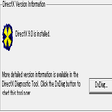
DirectX also enhances integration by running invisibly in the background, requiring little to no user interaction. Most updates come through Windows itself, while troubleshooting is handled through tools such as dxdiag. Modern releases like DirectX 12 further improve efficiency with features such as multi-threading and reduced overhead, enabling developers to optimize performance and achieve higher frame rates even on demanding applications.
Final thoughts
DirectX is a vital part of the Windows ecosystem, indispensable for both developers and gamers. It provides the foundation that makes high-quality multimedia possible, enabling applications to run smoothly while maintaining visual and audio fidelity. Though it offers no user-facing interface, DirectX remains essential in ensuring that games and media deliver the best possible experience.
Pros
- Provides efficient hardware access for better performance
- Widely supported across PC games and multimedia applications
- Regularly updated through Windows for seamless integration
- Includes tools like dxdiag for easy troubleshooting
Cons
- No user-facing interface for managing settings
- Advanced features depend heavily on hardware and developer support