
Installed through our safe & fast downloader ()
Filehippo

Safe shield iconSafe Downloader

The Safe Downloader downloads the app quickly and securely via FileHippo’s high-speed server, so that a trustworthy origin is ensured.
In addition to virus scans, our editors manually check each download for you.

Advantages of the Safe Downloader

  • Malware protection informs you if your download has installed additional unwanted software.
  • Discover additional software: Test new software that are waiting to be discovered in the downloader.
  • With us you have the choice to accept or skip additional software installs.

Editors' Review · September 8, 2022

Eassos Disk Genius Free offers an all-in-one solution for data recovery, partition management and Windows backup & restore.

Powerful data recovery feature is included to perform file recovery and partition recovery for free.

This file recovery tool is capable of recovering lost, deleted and formatted files and partitions from PC's hard drive, external hard drive, SSD, USB flash drive, memory card, RAID, virtual disk, etc. It recovers files from unallocated disk space or inaccessible partition with original file name and path. Besides it's able to construct virtual RAID and recover data from virtual RAID just like from local disks.

Overall Function for Disk Utilities:

  • Create, delete, format, hide, resize, split, extend and shrink partition.
  • Convert MBR partition table style to GPT without causing data loss, and vice versa.
  • Delete files permanently to protect privacy and sensitive data.
  • Verify and repair bad sectors for hard drives and for other devices.
  • Backup Partition and Disk

    This handy tool comes with a mighty backup and restore function is built in the Windows backup software to guarantee data security, and no complicated operating steps are required to perform backup and restore.

    You can also back up separate partitions to image file via full backup and incremental backup. A stand out feature is the ability to clone an entire partition or hard drive to another without reinstalling Windows. You can also clone virtual disk and partition to avoid data loss.

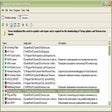
    Looking for PartitionGuru? Download Here

    Enlarged image for Eassos Disk Genius
    Eassos Disk Genius 0/3

    Technical

    Title
    Eassos Disk Genius 5.4.3.1342 for Windows
    Requirements
    • Windows 2000
    • Windows 8
    • Windows XP
    • Windows 7
    • Windows Vista
    • Windows 2003
    Language
    English
    Available languages
    • English
    • Japanese
    License
    Trial version
    Latest update
    Author
    Eassos
    SHA-1
    ffb05ae7f2896d32a33e01af92b7fde67772a253
    Filename
    DGEngSetup5431342.exe

    Program available in other languages


    EnhancedOptimize the function to restore NTFS partition from image and improve restoring speed.Optimize the speed of cloning NTFS partition.Optimize file recovery function for NTFS partition.Optimize file recovery function for FAT32 partition.During creating new partition, it allows to preset formatting parameters like Cluster Size and Volume Label.Create New Partition and Quick Partition dialog boxes automatically judge sector number required for partition alignment, and do not show sector number that does not meet alignment requirement.Improve stability of cloning partition or disk by hot migration.As to OEM partition on GPT disk, partition name on Disk Partition Structure area shows "OEM".When a disk is cloned by file, the application automatically changes to by sector when encountering encrypted partition which is not decrypted.Default settings of Quick Partition function save configurations like partition size, file system format, volume label, etc.Add a function to optimize disk by way of TRIM technology.The status bar shows recovery success rate reference value for current partition after File Recovery finishes scanning.Optimize video file preview feature and prevent exceptions.FixedFixed an issue that in rare cases it appeared on operations of writing files to NTFS partition.Fixed an issue that in rare cases application froze when deleting folder from NTFS partition.Fixed an issue that in rare cases application crashed during backing up NTFS partition by file.Fixed an issue that application launched with low speed in WinPE.Fixed an issue that volume name was not correctly set for FAT32 partition.Fixed an issue that exception occurred when loading VHD with fixed format.Fixed an issue that it couldn't align partition to sector number which was less than 2048.Fixed an issue that in some cases exception occurred during searching for hex or string in sectors.Fixed an issue that sometimes it couldn't find out partitions when searching from customized cylinder range.Fixed an issue that the incremental backup of EXT4 partition generated an excessively large image file.Fixed an issue that partition number was not restored after loading default settings of quick partition.Fixed an issue that files could not be filtered by size after searching for lost data.

    Can you help?

    If you have any changelog info you can share with us, we’d love to hear from you! Head over to our Contact page and let us know.

    Explore apps

    Related software

    Last updated