
Efficient web-based database management
phpMyAdmin is a free, open-source web-based tool designed for managing MySQL and MariaDB databases. It provides a browser interface that allows users to create, modify, and delete databases, tables, and fields, execute SQL commands, and manage user privileges. The platform is widely used by developers, IT professionals, and system administrators who need full control over database structures without relying on desktop-specific software. Access requires a web server with PHP and a database engine like MySQL or MariaDB.
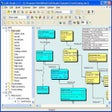
The tool allows users to perform complex database tasks directly from a web interface, supporting both simple and advanced SQL queries. Privilege management, table structure adjustments, and field modifications are handled efficiently, reducing the need to work from the command line. Built-in features for data import, export, and backup simplify workflows and ensure database integrity. Visualization and reporting tools assist with analyzing database contents, while performance tuning options help optimize MySQL or MariaDB environments for better efficiency.
Streamlined database control and SQL execution
Flexible data handling and browser-based access
phpMyAdmin supports a variety of file formats for importing and exporting data, facilitating efficient backup, restoration, and migration workflows. Accessible through any modern web browser, it works across operating systems without relying on native desktop installation. Users can securely manage local or remote databases, while integration with other applications depends on standard SQL protocols and server configurations. This design ensures broad compatibility and consistent database management regardless of the underlying operating system.
Focused and effective for database management
phpMyAdmin provides a robust and accessible solution for MySQL and MariaDB database administration. Its web-based interface, combined with powerful SQL and privilege management features, offers users precise control over database operations. While it requires a server environment to operate and lacks a standalone desktop version, it remains an essential tool for developers, administrators, and IT professionals seeking efficient, browser-accessible database management.
Pros
- Powerful browser-based SQL and privilege management
- Supports data import/export and backup across multiple formats
- Accessible via any operating system through a web browser
- Free and open-source with widespread community support
Cons
- Requires a web server environment; not a standalone app
- No native desktop installation or offline use without a local server
- Integration depends on server-side configuration and database setup