
Reliving the classic desktop audio experience
The Winamp player has officially returned, promising a personalized audio experience tailored strictly to the needs of modern listeners. It focuses heavily on local playback, allowing you to manage your offline music files smoothly by artist, album, playlist, or folder. This ensures every user enjoys seamless control over their library.
For long-time fans and new users alike, Winamp player is a multimedia tool that aims to craft a unique universe where everyone can take full control of their audio journey. By focusing on customization and user preference, the software tries to make your everyday desktop listening experience absolutely perfect.
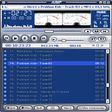
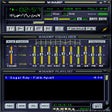
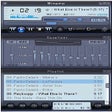
Winamp player’s standout element is how much freedom it gives you over the actual user interface. Beyond just organizing your music library, you can completely customize the placement of your navigation buttons and create custom action shortcuts. This high level of control ensures your daily workflow feels incredibly natural. This breathes new life into the beloved tradition of community creativity by fully supporting user-designed custom visual skins.
Ultimate interface layout
However, it is important to note that the application does come with a few notable limitations that might frustrate modern listeners. The software lacks any built-in music streaming service integrations, meaning you cannot connect platforms like Spotify or Apple Music to your library. Additionally, the software features a slightly dated interface out of the box before you apply skins. The layout can also feel a bit overwhelming for casual users.
Managing a massive directory of local audio files remains incredibly fast and responsive during daily testing. It handles an extensive variety of file formats without stuttering, making it an excellent hub for high-quality audio archives. The software manages to maintain its lightweight footprint on system resources while still offering advanced playback modes. If you possess a massive library of downloaded tracks and appreciate fine-tuning your playback setup.
Final verdict
Winamp player successfully delivers a deeply nostalgic yet functional local audio player that gives you complete control over your music visuals. While the lack of streaming support and the complex initial setup might deter casual music fans, its skinning system and layout freedom are unmatched. It remains a fantastic, trustworthy choice for dedicated audiophiles who truly love managing their own offline music collection.
Pros
- Exceptional library interface customization
- Full support for creative custom skins
- Seamless management of local audio folders
- Wide variety of supported file types
Cons
- Lacks modern streaming service integrations
- Initial interface looks slightly dated
- Settings can feel overwhelming for beginners