
Flexible karaoke playback for KAR and MIDI
vanBasco Karaoke Player by VanBasco is a free karaoke player built around KAR files and MIDI karaoke playback. Its biggest advantage is how much control it gives over the experience, from playback tweaks to on-screen presentation. The tradeoff is a narrower focus than modern karaoke apps since it relies on MIDI-based tracks and does not provide a built-in song library, so you need your own compatible files.
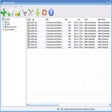
vanBasco Karaoke Player opens a set of separate windows that divide key tasks into clear areas, including playlist management, playback, and performance controls. The Playlist view supports simple drag-and-drop, while the control panel lets you adjust tempo, key, and volume during playback, which can help match different vocal ranges. The MIDI output controls also let you mute instruments for a more tailored backing track, although the format focus stays centered on KAR and MIDI.
Tailor Your Karaoke Experience with Modular Control
Visual Customization and Clear Lyric Display
The lyric viewer keeps timing cues and text easy to follow, with options to change font style, colors, and backgrounds for readability. Full-screen lyrics can work well when the display needs to stay visible from a distance. Skin support adds another layer of personalization for users who enjoy a themed look, although finding and managing skins can feel less seamless than in newer software with built-in galleries.
Accessible and Simple Interface for Karaoke Playback
The modular layout keeps controls separated, which can reduce clutter and make it easier to focus on one task at a time. Clear window roles also speed up basic hosting at home since playback, lyrics, and instrument controls stay within reach. The overall design feels dated compared to newer media tools, and the sound quality depends heavily on the system’s MIDI synthesizer, which can shape how realistic or polished a track sounds.
A Customizable Karaoke Player for MIDI Files
vanBasco Karaoke Player stands out for hands-on control over playback and visuals, including tempo and key adjustments plus strong lyric customization. Its limitations are equally clear: it focuses on KAR and MIDI rather than broader karaoke formats, and it expects users to bring their own files while relying on the system’s MIDI audio for playback. This makes it a practical choice for simple setups that prioritize control over modern polish.
Pros
- Modular window layout keeps karaoke controls organized
- Real-time tempo and key adjustments help fit different voices
Cons
- Focused support for KAR and MIDI limits broader format playback
- Audio quality depends on the system’s MIDI synthesizer