
A reliable tool for remote desktop access
Have you ever needed to fix a family member's computer or grab a file from your office PC while working from home? Remote access software makes this possible, and UltraVNC is one of the classic, time-tested options available for free. It lets you seamlessly view, control, and manage another computer.
Operating on the Virtual Network Computing protocol, UltraVNC is a file sharing app that lets you view and control another computer seamlessly. By installing a server on the host machine and a viewer on your device, you gain complete operational control over the remote desktop.
Exploring features, performance, and setup challenges
Using UltraVNC feels very responsive once everything is properly configured. You can interact with the remote screen using your own mouse and keyboard smoothly. However, getting started isn't always straightforward. Beginners often face a steeper learning curve for beginners because the setup process requires technical knowledge, especially when configuring network settings and firewalls to establish a stable connection across different local networks.
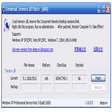
Performance-wise, file transfers and chat features add good value to the remote experience. Yet, users will immediately notice the outdated user interface design. The menus look like they belong in an older era of computing, lacking the sleek, modern polish found in newer competitors. This can make navigation feel clunky, even if the underlying remote control functionality remains rock-solid and dependable.
Another hurdle you must consider is the manual port forwarding setup required to access computers outside your local network. Unlike modern software that handles cloud connections automatically, this software often demands router configurations. While it offers immense power and customization for free, these extra hurdles mean it suits tech-savvy users far better than casual individuals looking for an instant plug-and-play solution.
Final thoughts
UltraVNC remains a fantastic, cost-free solution for anyone comfortable with a bit of technical setup. While its interface looks dated and configuration can be challenging, the reliability and deep control it offers are hard to beat. If you need a robust remote desktop utility and do not mind tinkering with network settings, it is definitely worth adding to your digital toolkit today.
Pros
- Completely free and open source
- Responsive real-time remote control
- Includes built-in file transfer tools
- Reliable performance across local networks
Cons
- Steeper learning curve for beginners
- Outdated user interface design
- Manual port forwarding setup required