
Advanced video editing tools for experienced creators
Pinnacle Studio Ultimate, developed by Corel, is a feature-rich video editing software aimed at users who want deeper creative control. It includes a large library of effects, MultiCam editing, stop motion tools, and 360 video editing, giving creators a broad toolkit for polished projects in a single workspace.
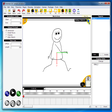
Pinnacle Studio Ultimate covers the core editing workflow with a timeline built for trimming, arranging, and refining clips efficiently. Once the interface clicks, the editing flow feels direct and flexible. A large built-in effects and transitions library adds variety for titles, color looks, and stylized edits, which helps reduce reliance on third-party add-ons for everyday creative work.
Comprehensive Editing Tools for Creative Control
Advanced tools such as multicam editing support syncing and switching between multiple angles, which can save time on interviews, events, and other multi-camera shoots. Stop motion animation adds a different creative lane for short-form projects and experimental work. Support for 360 video editing also suits creators working with immersive footage, even if that workflow takes more setup than standard projects.
Interface and User Base Focused on Experienced Editors
The interface is organized and functional, but it caters more to users who already understand timelines, tracks, and effect controls. Beginners can feel slowed down by the number of panels and options, especially when working with more advanced tools like motion tracking and keyframing. That complexity comes with a payoff for experienced editors, since it opens up more precise control once the workflow becomes familiar.
Technical Details and System Compatibility
This software is designed for Windows PCs, and performance depends heavily on hardware and project complexity. Official system requirements exist, but the practical experience often comes down to the type of footage, the number of tracks, and how many effects are applied at once. Heavier edits like MultiCam timelines and effect stacks can push resources harder, so a capable setup helps keep previews and renders running smoothly.
Focused and Effective
Pinnacle Studio Ultimate combines advanced tools such as MultiCam editing, stop motion animation, and 360 video editing with a deep effects library in a single editor. The feature set suits experienced users who want creative range without jumping into a pro studio suite. New editors can run into a steeper learning curve, and demanding projects can require stronger hardware to stay comfortable during previews and rendering.
Pros
- Large built-in effects and transitions library for creative edits
- Strong advanced tools like multicam editing and 360 video editing
Cons
- Steeper learning curve for beginners due to the dense toolset
- Demanding projects can require stronger hardware for smooth previews and renders