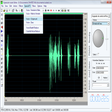
Easy MP3 Cutter for Windows
- By My Music Tools
- Trial version
- 3

Technical
- Title
- Easy MP3 Cutter 3 for Windows
- Requirements
- Windows Vista
- Windows 7
- Windows XP
- Windows 8
- Windows 2000
- Language
- English
- Available languages
- Arabic
- Czech
- German
- English
- Spanish
- French
- Italian
- Dutch
- Norwegian
- Russian
- Swedish
- License
- Trial version
- Latest update
- Author
- My Music Tools
- SHA-1
d1dccb96b15c73ed719b384f850d28ef34ed1103
- Filename
- easy-mp3-cutter.exe
Program available in other languages
Easy MP3 Cutter for Windows
- By My Music Tools
- Trial version
- 3
Changelog
We don’t have any change log information yet for version 3 of Easy MP3 Cutter. Sometimes publishers take a little while to make this information available, so please check back in a few days to see if it has been updated.
Can you help?
If you have any changelog info you can share with us, we’d love to hear from you! Head over to our Contact page and let us know.
Explore apps










Related software
Free M4a to MP3 Converter
Free M4a tomp3 Converter - Convert MP3 to Audio Online
Any Audio Cutter
Any Audio Cutter Review
Free Audio Cutter
Quick audio trimming without extra setup
X-Wave MP3 Cutter Joiner
Comprehensive Review of X-Wave MP3 Cutter Joiner
Audiobook Cutter
Audiobook Cutter: Cut long MP3 files into shorter fragments
File Cutter Joiner Free
Jihosoft File Cutter - Free Audio Joiner

AnyMP4 Audio Recorder
Free sound-recording tool

mp3cutter
Have you ever wanted to trim and edit your .MP3 collection to make it fresh, with no dead sounds and tracks faded in and out to your liking? Now you can! Abelssoft’s mp3cutter is a simple utility that can help you clean up your digital music collection. With mp3cutter it is easy to remove any static noise or seconds of silence at the start or end of a track. You can edit out these and also fade in or fade out other parts as well. When you are finished editing your work, you can then save your new file easily. Key Features include: Safely edit .MP3 .WAV .FLAC. WMA and .OGG formatted files. Intuitive interface. Fast processing. The interface of mp3cutter is highly intuitive and a breeze to work with. To start, you simply need to choose what file you will be working on by navigating to it manually, as mp3cutter unfortunately doesn’t have drag and drop functionality. Once the app loads an .MP3 file, it shows the saved music in a wave structure, and it's not only possible to listen to the track, but to edit it easily too. You can select specific areas with a mouse click within the wave form and then cut them out. mp3cutter requires .Net Framework 4.0 to be installed on your system in order to run the software. If you don’t have this already installed, you will be given the opportunity upon installation to do so. The app is considered freeware, however, the developers do kindly request a small tip to upgrade the app to mp3cutter plus. The advantage of the plus-version is that you can merge two .mP3 files into one file.

2007 Microsoft Office Add-in: Microsoft Save as PDF or XPS
2007 Microsoft Office Add-in: Microsoft Save as PDF or XPS for Windows explained

Adobe Acrobat Reader DC
Reliable PDF viewing and annotation for all users

WinRAR 64-bit
Trusted compression for personal and professional use

Google Chrome
A fast, feature-rich browser





Last updated
MP3Gain
MP3Gain for Simple MP3 Loudness Fixes
Synapse DUNE VST
Layered sounds for modern music makers
TagScanner
TagScanner - Important Features
Geometry Dash
A satisfying rhythm challenge for all skill levels
PracticeSession
Comprehensive Audio Practice Tool for Musicians
RadioBOSS
Auto DJ for stations, clubs, discos, casinos, shops, cinemas
VoxBooster
Enhance Your Audio Experience with VoxBooster
Player for HD MX
Simple media playback made more flexible
MEmu
Powerful Android experience on PC
Tor Browser
Enhanced online privacy with Tor Browser

FL Studio
A professional and versatile digital audio workstation
Audio/Video To Exe
Convert audio or video into other formats or EXE files