
A Clean Way to Run Multiple Timers
Multi Timer, developed by Johannes Wallroth, is a Windows timer utility built for managing multiple time trackers at once. It supports several timing styles, including count up, count down, and an alarm clock mode, which makes it useful for everything from focused work blocks to cooking and simple reminders. The concept stays practical and lightweight, although the draft does not clearly explain whether any advanced customization is included.
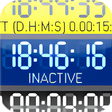
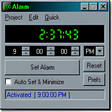
Multi Timer offers three modes that cover the most common timing needs. Up mode tracks elapsed time from zero, which fits activities where duration matters. Down mode counts down from a set interval, which works well for breaks, deadlines, and repeated routines. Alarm clock mode sets alerts for a specific time, closer to a traditional alarm. This variety is a clear strength for users who want one app that handles different timing styles without extra complexity.
Track Time Your Way with Three Flexible Modes
The ability to run many timers at the same time supports real multitasking, letting separate tasks stay visible and independent. That can help in work sessions, kitchens, workouts, or event tracking. The trade-off is that the app stays focused on timer functions, so users looking for deeper productivity features such as analytics, task history, or automation controls can feel limited.
Designed for Windows, With a Simple Scope
Multi Timer is built for Windows and fits naturally as a small desktop utility. Its design emphasizes straightforward timer management rather than broader workflow features, which keeps it easy to pick up. That same simplicity can also be a downside for users who want more guidance, richer layout options, or more detailed control over how alerts behave. The draft also does not confirm accessibility features, so users who rely on specific accommodations do not get clear expectations from the available description.
A Focused Tool for Everyday Timing
Multi Timer’s main appeal is its flexible modes and its ability to manage multiple timers in parallel. That makes it a practical choice for users who need simple, reliable timing without distractions. The limitations show up in its narrow scope and unclear customization depth, which can matter for people who want more than basic timing and alerts. For straightforward tracking across several tasks, it gets the job done.
Pros
- Multiple modes for count up, count down, and alarm-style alerts
- Supports running many timers at once for multitasking
Cons
- Limited beyond core timer functions
- Customization and accessibility details are not clearly documented