
Samurize for Windows Desktop Dashboards
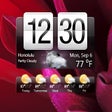
Samurize is a desktop customization and system monitoring utility for Windows that lets you place live stats directly on your desktop. Instead of fixed widgets, it uses editable layouts called configs, so you control what appears, where it sits, and how it looks. The result can be a minimalist performance panel or a full dashboard that stays visible while you work.
That freedom is also the trade-off. Setup takes time, and the interface feels dated compared with newer Windows desktop widgets tools. Samurize also sits in a legacy spot, with limited modern development and fewer current configs. Still, it stays lightweight once configured for enthusiasts who build layouts by hand.
Samurize centers on building your own desktop panels. A config can show CPU, memory, disk, and network activity using text, bars, graphs, and images, then layer everything into a clean overlay. For advanced setups, scripts and plugins can pull extra data sources. This flexibility is the main reason power users keep it around. You can tune fonts, colors, and positioning.
A Build Your Own Monitoring Workspace
The workflow splits into an editor for designing configs and a client that runs them, which helps keep resource use low during daily work. Monitoring can stay visible while games or apps run full-screen. However, the learning curve stays real. Building a polished dashboard takes trial and error, and ready-made configs vary in quality especially if you want many meters.
Samurize also carries a clear legacy status. The interface looks old-school, and some add-ons rely on data sources that no longer behave consistently on modern Windows setups. Basic monitoring can still run fine, but long-term reliability depends on your config and plugins. People who want a simpler, modern experience often prefer alternatives and can spend time troubleshooting small quirks today.
Who Samurize Still Fits Best
Samurize fits users who treat their desktop like a control room and care more about customization than convenience. It delivers a lightweight system monitor that can look exactly the way you want, with configs that range from simple readouts to complex dashboards. The trade-offs are a dated interface, a setup process that takes time, and the realities of legacy software on modern systems. For tinkerers, it remains a fun, capable tool. For everyone else, a newer widget platform feels easier.
Pros
- Deep desktop customization through configs
- Lightweight monitoring once set up
Cons
- Dated interface and legacy status
- Steeper learning curve and occasional plugin quirks