
Customize your desktop without any hassle
XWidget offers a versatile solution for users looking to transform their bland desktop background into a functional, animated dashboard. By providing an extensive collection of customizable widgets, this lightweight software brings dynamic utility directly to your screen without compromising your computer's overall speed or performance.
Top Recommended Alternative

Whether you need quick access to system metrics or interactive desktop utilities, XWidget is a personalization application that delivers a seamless experience. It bridges the gap between aesthetic customization and daily efficiency, making it feel modern, engaging, and tailored to your preferences, while effortlessly keeping your workspace organized every day.
Discover powerful tools
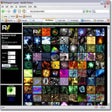
The core appeal of XWidget lies in its massive built-in gallery, which grants immediate access to over 1,600 widgets with a single click. Users can monitor system resources like CPU and RAM, check local weather, control music playback, or organize shortcuts effortlessly. Additionally, the integrated visual editor allows creative users to code custom widgets using JavaScript, offering virtually unlimited flexibility for personalized desktop setups.
Despite these impressive features, the software is not without a few drawbacks that users should consider. The sheer volume of available widgets means that visual quality and functional stability can vary significantly across the community gallery. Some user-created widgets feel unpolished or outdated, requiring extra time to test and filter through options before finding reliable tools that match your specific desktop layout.
Furthermore, setting up complex suites or designing personalized widgets from scratch demands a basic understanding of scripting. While casual users can enjoy pre-built options immediately, fully unlocking the engine's advanced features presents a noticeable learning curve. Lastly, while the core app remains lightweight, running multiple animated or resource-heavy widgets simultaneously can occasionally lead to minor performance hiccups on lower-end systems.
Lightweight solution for desktop customization
If you enjoy tailoring your digital workspace, XWidget delivers exceptional value through its vast asset library and creative editing capabilities. While navigating community-made content requires a bit of patience, its baseline efficiency, smooth animations, and deep personalization tools make it a truly worthy addition to modern desktop setups. Ultimately, it provides a practical way to balance functional utility with custom visual flair for any PC setup.
Pros
- Extensive gallery featuring over 1,600 downloadable widgets
- Built-in visual editor with JavaScript support for custom designs
- Minimal baseline CPU and RAM consumption during standard use
- Seamless Steam Cloud sync support for user data
Cons
- Variable quality and polish across community-created gallery widgets
- Steeper learning curve required for designing custom widget scripts
- Multiple animated widgets can occasionally cause minor system strain