
Reliable CSV editing for structured text files
Ron’s Editor, from Rons Place Software, is a Windows-focused tool built for editing CSV files and other tabular text formats. It targets users who need precise control over structured data without the automatic formatting issues common in spreadsheet software. A Lite edition introduces the core workflow with row limits, while licensed versions unlock broader editing capacity for larger datasets.
Ron’s Editor supports opening, editing, exporting, and converting structured text files through a grid-based layout designed for clarity. The focus stays on separated data formats, such as CSV and similar delimiter-based files, which makes the editor useful for cleaning exports and correcting structure. This specialization helps avoid unintended changes to quoting, delimiters, or encodings, although the tool is less suitable for general text editing tasks.
Efficient and flexible data manipulation
Familiar layout with a data-first approach
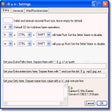
The interface uses a clear, table-style presentation that feels approachable to users accustomed to working with rows and columns. Navigation stays direct, which helps reduce friction when making quick corrections or scanning large datasets. More advanced options are available for users who need deeper control, though the overall look favors function over visual polish.
Handling larger files with edition limits
Ron’s Editor is designed to work with larger tabular files than basic text editors, making it useful for structured data maintenance. The Lite version limits how many rows can be edited, which can be a constraint for bigger projects and pushes heavier users toward a paid license. System requirements and supported Windows versions depend on the specific build and rely on standard Windows components rather than unusual dependencies.
Focused and practical for CSV work
Ron’s Editor delivers a focused environment for editing structured text, with tools aimed at preserving data integrity and readability. Its strengths show most clearly when working with CSV-style files that need careful handling. The narrow focus and Lite edition limits are tradeoffs, but for users who regularly manage tabular data, it offers a cleaner alternative to spreadsheets.
Pros
- Designed to prevent common CSV formatting issues
- Clear, grid-based interface suited to structured data
Cons
- Lite edition limits the number of editable rows
- Not intended for general-purpose text editing



.svg.png)