
Mastering your digital photography workflow efficiently
NX Studio stands as a multimedia solution for photographers seeking to elevate their post-processing experience without jumping between multiple applications. It merges viewing and editing into one seamless interface, ensuring that your creative momentum remains uninterrupted from the initial import to the final export.
Whether you are a hobbyist exploring the potential of RAW development or a professional managing extensive metadata, this software provides the necessary depth. NX Studio simplifies complex tasks while maintaining the high standards required for modern digital imaging, making it a reliable staple for any digital creator's toolkit.
The core strength of NX Studio lies in its specialized RAW processing capabilities, which allow users to extract the maximum detail from their camera files. By utilizing the native color science of the hardware, it ensures that your images retain their natural look while offering the flexibility of non-destructive editing. This makes it an essential bridge between capturing a moment and sharing a high-quality finished product.
Elevating your photos
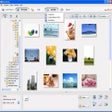
Beyond basic adjustments, the software integrates powerful features like tone curves and color control points for precise manipulation. However, users should be aware that while the tools are robust, the interface can occasionally feel sluggish when handling very large galleries or high-resolution TIFF files. Navigating through hundreds of thumbnails might require a bit of patience, especially on older hardware that lacks significant processing power or optimized RAM.
Furthermore, managing XMP/IPTC data and presets is incredibly intuitive, allowing for efficient batch processing of metadata across multiple images. One minor drawback to note is the limited integration with third-party plugins, which might frustrate those who rely on external niche tools. While the built-in features are comprehensive, the walled-garden approach means you are mostly restricted to the native ecosystem provided by the developer during your editing session.
Final thoughts
NX Studio is an impressive, all-in-one package that truly excels at viewing and refining high-quality imagery. While its performance can sometimes lag during heavy multitasking, the precision of its color tools and its cost-free availability make it a standout choice. It is a trustworthy companion for anyone dedicated to getting the best possible results from their digital files with minimal fuss or expense.
Pros
- Comprehensive RAW processing for native files
- Intuitive brightness and contrast adjustment tools
- Efficient management of XMP and IPTC data
- Direct upload capabilities for web sharing
Cons
- Occasional performance lag with large files