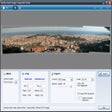

A reliable solution for advanced panorama stitching
Image Composite Editor (ICE), developed and published by Microsoft, is a dedicated panorama stitching program that enables photographers and hobbyists to merge multiple images or video frames into seamless panoramic photos. It utilizes both advanced stitching algorithms and automatic lens vignette removal to produce high-quality results from large image sets.
ICE automatically aligns and blends images, selecting the most appropriate projection type—such as planar, cylindrical, or spherical—based on the source material, and users can fine-tune the perspective using orientation adjustment tools. To improve the final output, the software includes automatic lens vignette removal that ensures uniform brightness across the stitched image, intelligent cropping that maximizes the visible area of the panorama, and image completion that fills in missing peripheral areas, such as sky or grass, to create a full rectangular frame. However, while there is support for gigapixel-scale images with no size limitations, the software is primarily a stitching tool and lacks robust, built-in photo editing capabilities, which often requires users to use a different program for post-processing.
Precise stitching and creative control
Robust export formats and sharing capabilities
The software utilizes available memory and processing power to handle complex tasks. It features a unique capability to generate panoramas directly from video footage, capturing motion within a panoramic sequence. ICE supports a variety of export formats, including JPEG, TIFF, PNG, and layered Photoshop (PSD) files for further editing. For interactive viewing, it can export HD View and Deep Zoom files.
High-resolution panoramic stitching tool
Overall, Image Composite Editor (ICE) is considered a technically capable solution for creating and sharing high-resolution panoramas, both from still images and video footage. Its ability to handle vast image sets and video input, combined with automated cleanup tools, makes it an effective utility tool for users.
Pros
- Unlimited scaling
- Video integration
- Automated enhancements
Cons
- Lacks built-in photo editing features