
Mic and merge audio tracks with ease
DJ Studio Pro, developed by E-soft, delivers a focused tool for mixing and merging audio tracks into a single playable file. The software offers a streamlined process to transfer segments of loaded songs into a new composition using intuitive merge and mix capabilities with precision, making it a practical choice for those looking to efficiently combine music tracks without unnecessary complexity.
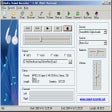
DJ Studio Pro features a well-organized interface that divides the workspace into distinct sections for ease of use. The song library sits on the left side, displaying loaded audio files, while the control panel on the right gives quick access to essential tools. Two separate timelines at the bottom further aid workflow: one plays the current song, and the other shows the new track in progress. The Record button enables straightforward transfer of audio segments from any loaded track to the new composition. Additionally, built-in merge and mixing functions allow users to create cohesive tracks from multiple sources with minimal effort, reflecting a user-centric design that simplifies the mixing process.
Clear visual layout for streamlined track creation
Precise editing and basic sound adjustment tools
The software supports accurate audio cutting through detailed timelines and exact time stamps, granting users fine control over track edits. This precision aids in creating smooth transitions and polished sound flows, and supports several import and export formats such as MP3, FLAC, and WAV. While DJ Studio Pro covers essential mixing needs, its sound-adjustment options lack advanced depth, limiting nuanced creative control. The GUI presents usability challenges, particularly with the awkward placement of hit-boxes on sliders, which complicates precise adjustments crucial during mixing sessions. Despite those, this software presents itself as a useful tool for basic merging and mixing.
Focused and practical audio mixing tool
DJ Studio Pro offers solid merging and editing features within a clear interface geared toward efficient track combination. Its precision editing and audio management tools meet basic mixing requirements reliably. However, the lack of advanced controls limits its appeal for users seeking deeper functionality.
Pros
- Mix and merge audio files into a single playable file
- Interface designed for ease of use
Cons
- Lack of advanced features