
Precise monitor control with hardware awareness
ControlMyMonitor, developed by NirSoft, is a free utility designed to provide detailed control over monitor settings. Users can adjust parameters such as brightness, contrast, sharpness, and color balance through a graphical interface or command line. While these features are broadly supported, ControlMyMonitor’s effectiveness depends on monitor hardware and DDC/CI firmware, meaning some settings may be unavailable or limited. Its lightweight design ensures a responsive experience, making it suitable for users seeking focused, efficient display management.
ControlMyMonitor enables fine-tuning of supported VCP features, including red, green, and blue gains, color presets, and input selection. Users can attempt to control horizontal and vertical frequencies, OSD language, and input port options, though these functions rely on monitor compatibility and may not work universally. ControlMyMonitor allows exporting and importing configuration files to manage multiple monitors or profiles, offering practical workflow efficiency for those operating in varied or multi-display environments.
Flexible adjustments within hardware limits
Streamlined interface for practical use
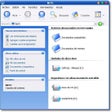
The interface of ControlMyMonitor is functional and straightforward, supporting both GUI navigation and command-line scripting for batch adjustments. Users can quickly modify values through double-clicking, right-click menus, or holding the CTRL key while scrolling to change numeric parameters. ControlMyMonitor’s design focuses on practical usability rather than visual appeal, ensuring precise control is accessible while keeping the application lightweight. Users should note that some advanced adjustments may not be available depending on their monitor’s firmware capabilities.
A targeted solution for display management
ControlMyMonitor delivers reliable access to monitor settings within the constraints of hardware compatibility. Its export/import feature and dual GUI/CLI access make it a practical choice for users managing multiple devices or frequently adjusting monitor configurations. Although not all settings are guaranteed to function on every monitor, ControlMyMonitor remains an efficient, portable, and focused tool for Windows users needing precise display management. Its lightweight footprint and flexibility make it a valuable utility for supported devices.
Pros
- Provides fine control of monitor settings via GUI and command line
- Supports export/import for multiple monitors or configuration profiles
- Lightweight and portable, with practical workflow efficiency
Cons
- Feature availability depends on monitor hardware and DDC/CI support
- Some advanced parameters may not be adjustable on all devices
- Interface is basic and visually dated