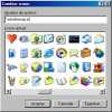
Windows XP Icons
- By Release Soft
- Free
- 0.7.6
Related software
Microsoft Office 2010 IconPack
Microsoft Office 2010 IconPack lets you customize your files

360 Total Security Free Antivirus
An efficient guard against threats
Folder Colorizer
What Can a Folder Colorizer Do For Me?
Rainbow Folders
Creating and Sorting Rainbow Folders With This Windows XP Sidebar Clock Software
Crystal XP
Crystal XP Review
Fly on Desktop
Fly on Desktop - The Software That Will Make Your Life Easier
Black Seven Folder Icon Pack
Black Seven Folder Icon Pack Review
Maxthon Nitro
A Great Free Website Browser For Windows XP
GeekUninstaller
GeekUninstaller is a fast and effective software uninstaller. It includes several useful features such as: Force Removal for stubborn applications, the ability to quickly jump to the Registry entry or website, viewing of the application's installation folder, and a feature to automatically Google it. GeekUninstaller does not require installation and runs on both 32 and 64-bit versions of Windows XP/Vista/7/8 and 10. It is a lightweight application that uninstalls various types of software and is able to locate bits and pieces left in the registry by previously uninstalled applications. If you install and uninstall a lot of applications, your registry and file system may be filled with junk files left behind from previously uninstalled pieces of software. GeekUninstaller is a lightweight uninstaller that doesn't require any installation itself, which means that it's a perfect portable maintenance tool. Overall, GeekUninstaller is a lightweight product, which is a really useful tool that can uninstall unwanted applications with ease. It has a simple interface and it delivers well on both features and performance.
AOMEI Partition Assistant Standard Edition
Free partition management software
Windows 7 Theme Manager
Using Windows 7 Theme Manager to Customize Windows Vista Or Windows XP
RK Launcher
The Easiest Way to Improve the Looks of Your Windows 10 PC