
Installed through our safe & fast downloader ()
Filehippo

Safe shield iconSafe Downloader

The Safe Downloader downloads the app quickly and securely via FileHippo’s high-speed server, so that a trustworthy origin is ensured.
In addition to virus scans, our editors manually check each download for you.

Advantages of the Safe Downloader

  • Malware protection informs you if your download has installed additional unwanted software.
  • Discover additional software: Test new software that are waiting to be discovered in the downloader.
  • With us you have the choice to accept or skip additional software installs.

Editors' Review · September 29, 2021

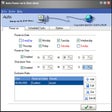
SyncToy, a free PowerToy for Microsoft Windows, is an easy to use, highly customizable program that helps users to do the heavy lifting involved with the copying, moving, and synchronization of different directories. Most common operations can be performed with just a few clicks of the mouse, and additional customization is available without additional complexity.

SyncToy can manage multiple sets of folders at the same time; it can combine files from two folders in one case, and mimic renames and deletes in another case. Unlike other applications, SyncToy actually keeps track of renames to files and will make sure those changes get carried over to the synchronized folder.

[]

Enlarged image for SyncToy
SyncToy 0/3

Technical

Title
SyncToy 2.1 for Windows
Requirements
  • Windows Vista
  • Windows XP
  • Windows 8
  • Windows 7
Language
English
Available languages
English
License
Free
Latest update
Author
Microsoft
SHA-1
d4e970064ad284e8b5e2a020d78c4f23395cd7b9
Filename
SyncToySetupPackage_v21_x86.exe

Program available in other languages


# Better Performance: The speed of file copy operations is significantly increased across the board.# Improved Robustness: Much more resilient to transient network and file system errors and better error reporting which pin-points which file the sync failed on in case there’s a fatal error that stops the sync.# Folder pair configuration backup: Folder pair configuration is automatically backed up under %localappdata%\microsoft\synctoy\2.0. User can replace SyncToyDirPairs.bin with the backup copy to resolve last saved configuration.# Bug Fixes:* Fixed the data corruption issue when using SyncToy with NAS drives.* Fixed the issue that prevented uploading files to SharePoint when using SyncToy 2.0.* Fixed the issue that prevented delete changes from being synchronized when the sync option is set to “Echo”.* Fixed the UI issue where reported file time were off by the difference between local time and UTC when destination is a FAT volume.

Can you help?

If you have any changelog info you can share with us, we’d love to hear from you! Head over to our Contact page and let us know.

Explore apps

Related software

Last updated