
Fast playlist building for mixed libraries
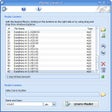
Playlist Creator turns scattered audio files into a playable queue without extra setup. Drag-and-drop playlist building, it lets you pick tracks fast, reorder them, and save the result for later playback. It also offers broad format support, so mixed libraries don’t force extra conversions.
Playlist Creator can read and write playlist files through PLS and MZL playlist support, making it easier to move lists between media players. When a folder is messy, list sorting helps line up tracks in a clean order before saving. The goal is simple: build a reliable playlist fast, then get out of the way.
Playlist Creator keeps playlist building quick when a library lives across multiple folders and formats. Drop in files, reorder the run, and fine-tune metadata in one pass using batch track editing, which is handy when names or tags need cleanup during a busy cleanup session. It’s designed for speed over deep library management, so it pairs well with any player that already handles playback well.
Building playlists from mixed media folders
After a list is assembled, album view helps you sanity-check grouping so compilations don’t get split in odd ways, and you can spot missing tracks before saving. The workflow stays lightweight, but it assumes your folders and files are accessible and consistent, since it won’t fix broken paths on its own. If you want heavier library tools, MusicBee and MediaMonkey cover tagging, syncing, and playback in one suite.
For day-to-day use, it feels snappy because the job is mostly selection, ordering, and saving rather than heavy processing. Large folders still take a moment to scan, especially on slower storage, so it helps to stage files first if you’re building massive mixes. Once saved, the playlist is easy to share or archive, and repeat edits are quick when you’re iterating on the same set.
A simple tool for tidy playlists
Playlist Creator fits users who want to assemble and refine playlists quickly without getting pulled into a full media manager. It handles mixed collections, saves lists in common formats, and keeps the workflow focused on ordering and cleanup. It’s a good match for anyone maintaining libraries for different players or devices, especially when playlists need regular updates. For deeper cataloging, pair it with a dedicated library app.
Pros
- Builds playlists quickly from messy folders
- Keeps editing and repeat updates straightforward
- Works well alongside existing media players
Cons
- Assumes file paths stay consistent between sessions
- Large libraries can take time to scan
- Not meant for deep library management