
Targeted cleanup for installer cache clutter
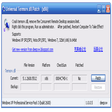
Patch Cleaner helps free up disk space by finding unused installer and patch files that accumulate over time. It compares stored files with what the operating system still needs, then identifies which ones are safe to remove or manage. Use the move-to-folder option first to keep a safe rollback backup.
Patch Cleaner also supports exclusion filters to avoid known edge cases and offers a command-line interface for repeatable runs. It’s best used before big upgrades or when the system drive is tight, since removing the wrong package can break repairs or updates.
Keeping the Installer cache under control
Patch Cleaner starts by running a WMI-based scan to list installer files the OS still tracks, then compares that list to what sits in the Installer directory. Orphaned entries are flagged with a size total, so it’s clear what you can reclaim without guesswork. When you need a faster reclaim, the delete action is there, but most workflows begin with moving files and watching updates for a while.
Once you’ve cleaned a round, the file details view helps you spot patterns, such as patches tied to a single vendor, and adjust your approach for the next run. For built-in options, Disk Cleanup and DISM’s component cleanup can reduce other system storage, but they don’t target this cache the same way. If you prefer a broader cleanup suite, utilities like Wise Disk Cleaner cover different areas.
Automation is straightforward because runs can be scripted and the event log output leaves a trail when you’re validating results across multiple machines. Performance is mostly bound by how many MSI/MSP entries exist, and scans finish quickly on typical setups. The key is treating it like maintenance: back up first, move before deleting, and keep the recovery media handy in case a repair later asks for a missing package.
A safer way to free space
Patch Cleaner is a focused utility for clearing out orphaned installer leftovers that quietly eat disk space. It works best when you start with moving files, verify that updates and uninstalls still behave normally, and only then purge what’s truly unused. For admins and power users who want a targeted cleanup method with minimal UI overhead, it’s a practical addition to a regular maintenance checklist.
Pros
- Identifies orphaned installer files without guesswork
- Supports safer cleanup by moving files first
- Works well for scripted maintenance runs
Cons
- Removing the wrong package can affect repairs or updates
- Results depend on how the OS references installer files
- Best used with backups and a validation step