

A hassle-free image viewer and editor
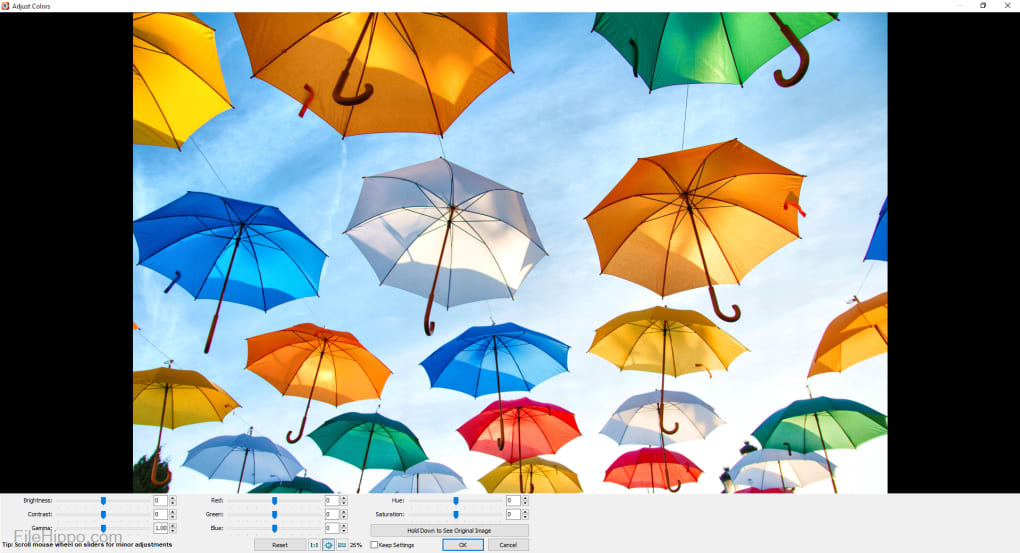
FastStone Image Viewer is a reliable, user-friendly, and fast image viewer, browser, editor, and converter. With a wide range of features, the application lets you use multiple functionalities, such as red-eye removal, cropping, resizing, image management, colour correction, etc. While the interface may seem cluttered, the intuitive navigation allows you to browse through images with ease. The app comes with a full-screen mode, which provides quick access to thumbnail browser, EXIF information, hidden toolbars, and more.
Multiple file formats, editing tools, and effects
FastStone Image Viewer functions as comprehensive image management and editing tool. Despite the name, the program lets you view, convert, and browse images on your Windows computer. Since the application features an intuitive interface, you can easily sort through multiple folders of images. While it’s not a replacement for professional image editors, it’s a good choice for beginners looking to perform basic conversion and editing tasks.
How to get started?
In the first look, the interface seems a bit cluttered. The toolbars display a lot of buttons, which can be overwhelming for beginners. However, you can use the panes at the top to navigate to specific directories, view larger previews of images, and view thumbnails with important information. Having said that, FastStone Image Viewer’s range of features become visible in the full-screen mode. Compared to Picasa and PicsArt, the program offers a lot more tools and options to use with images.
Advertisement
If you take the mouse to the right-hand side of the screen, the window displays metadata. On the left-hand side, there’s a menu with tools for resizing, adding, and rotating text. From here, you can even add special effects and adjust colours. When you take the mouse to the top of the screen, it displays a thumbnail preview of the directory. This makes it easier to choose a different image. From the bottom of the screen, you can access the toolbar with basic editing options.
There’s even a slideshow feature, which makes FastStone Image Viewer an excellent choice for professionals. It saves a good amount of time you would have spent on shuffling between multiple images. You can add your favourite music to the slideshows you create on the app. Like most image editors and converters nowadays, FastStone Image Viewer is pretty easy to use. However, if you still need help, there’s a comprehensive PDF Help file, which provides you with some good guidance.
How to organise and edit images?
With FastStone Image Viewer, it’s intuitive and easy to organise and manage images. With the drag-and-drop function, you can easily sort through multiple files. While the editing features don’t quite match other powerful tools like CorelDRAW Graphics Suite, you can still tweak, enhance, and optimise images for the web.
For instance, this image editor lets you rotate, flip, crop, blur, sharpen, or resize pictures. Additionally, you can turn an image to sepia, negative, or grayscale. With FastStone Image Viewer, you can also adjust colours, levels, curves, and lighting. The program comes with various border effects, frame masks, and shadows. There are also plenty of additional effects, such as morph, lens, and bump. In order to create something freestyle, you can use lines, texts, shapes, or callout objects on pictures.
Since FastStone Image Viewer serves as an image converter and editor, it lets you download images from a memory stick. You can even scan images directly into the program. Once you’re done converting or editing files, you can email or print them, or create a slideshow. For large quantities of images, the tool offers batch processing. This lets you easily rename files or change metadata. FastStone Image Viewer can be used to take screenshots in window, rectangle, full-screen, freehand, and foreground modes.
Like most programs in this category, FastStone Image Viewer can be downloaded and installed as a zip file or executable (.exe) file. There’s even a portable version of the program, which can be carried on a USB stick. This doesn’t require installation so you can take with it you anywhere and start using it instantly on any Windows 10 computer.
An excellent choice for Windows PCs
FastStone Image Viewer is an easy-to-use, fast, and feature-packed program. It supports a wide range of graphic formats, including TIFF, PNG, BMP. JPEG, GIF, WMF, TGA, ICO, and PCX. The program comes with several features, such as slideshows, scanner support, transitional effects, magnifier, lossless conversions, image annotations, drop shadow effects, histogram, and more. Overall, it’s an excellent choice for anyone looking to download an image converter, image editor, or image viewer.


