
Monitor system performance in real time
System Monitor II, developed by Bushin SOFTWARE, provides users with real-time monitoring of their device’s system performance. Its primary focus is on delivering detailed insights into core system metrics such as CPU usage, memory consumption, disk activity, and network traffic. The software operates as a standalone utility designed to help users observe and analyze system resource utilization as a lightweight installation that runs quietly in the background.
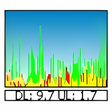
The program is a small, dedicated desktop widget that remains visible in the sidebar or as an overlay as it actively retrieves system data from the operating system’s built-in performance mechanisms. It presents this information through an accessible interface that allows users to monitor the current status and usage trends of key resources. This capability supports a variety of use cases including diagnosing performance slowdowns, identifying resource drains like memory leaks, monitoring system load during gaming sessions, and assisting developers in tracking application behavior. Through visualized compact graphs, System Monitor II also offers historical data logging, enabling users to analyze performance trends over time to inform performance tuning and troubleshooting.
Comprehensive real-time system insights
Moreover, the interface is highly configurable in terms of what information is displayed and the gadget’s appearance. Simple gestures such as double-clicking allows users to immediately launch the native Task Manager or Resource Monitor for more detailed process management. However, the program lacks the ability to perform remote monitoring of other networked machines, or the ability to customize monitoring workflows through automation.
Focused on local monitoring with stable performance
System Monitor II runs with minimal resource consumption, maintaining system stability during operation, and despite effectively covering essential metrics, it does not include advanced diagnostic features such as SMART status for drives, extended GPU temperature monitoring, or remote monitoring capabilities for multiple networked machines. Since the program is specifically designed to be a lightweight widget, it continuously runs in the background without burdening the system resources that it monitors, which preserves the operating system’s performance.
Functional tool for metric diagnostics
System Monitor II delivers stable and efficient real-time and historical tracking of fundamental system resources on Windows. Its strength lies in providing clear insights into CPU, memory, disk, and network performance while maintaining minimal system resource consumption. Missing from the available information are advanced diagnostics, remote monitoring, and user interface customization features. Given the data at hand, it is a suitable utility for users seeking straightforward system monitoring but may require supplementation for those needing more specialized or integrative capabilities.
Pros
- Accessible user interface
- Lightweight installation
- Minimal system resource consumption
Cons
- Lacks remote monitoring
- Lacks advanced hardware diagnostics