Installed through our safe & fast downloader ()
Filehippo

Safe shield iconSafe Downloader

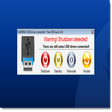
The Safe Downloader downloads the app quickly and securely via FileHippo’s high-speed server, so that a trustworthy origin is ensured.
In addition to virus scans, our editors manually check each download for you.

Advantages of the Safe Downloader

  • Malware protection informs you if your download has installed additional unwanted software.
  • Discover additional software: Test new software that are waiting to be discovered in the downloader.
  • With us you have the choice to accept or skip additional software installs.

Technical

Title
PartitionGuru Pro 4.7.0 for Windows
Requirements
  • Windows 7
  • Windows Vista
  • Windows XP
  • Windows 8.1
  • Windows 2000
  • Windows 2003
  • Windows 8
Language
English
Available languages
English
License
Trial version
Latest update
Author
Eassos Ltd.
SHA-1
52e541e718ba3802a22b869874fd7d2820a256e0
Filename
PGSetup470.exe

Program available in other languages


New:Support NTFS partition whose cluster is larger than 128 sectors.Add write support for EXT4 file system.Backup / restore EXT4 partition.Support cloning EXT4 partition.Support resizing EXT4 partition.Support recovering lost EXT4 partition.Add menu item to boot to PartitionGuru WinPE version.Support creating WinPE bootable disk.Menu items like "Shut down" "Restart" "Run" and "Adjust screen resolution" are abled when you run PartitionGuru WinPE version.Quick Partition feature can save current settings to Options.ini file as default partitioning scheme, so that it can be used automatically in future operations.Quick Partition feature changes the default size of ESP partition to 300MB.Quick Partition supports modifying the size of ESP partition.Quick Partition can reserve specified number of sectors between partitions for GUID disk, so that the disk can be converted to MBR when necessary."Create ESP/MSR partition" is added to menu so that you can create ESP/MSR partition separately.Improve operations on creating new partition and creating ESP/MSR partition on GPT disk.Support resizing partition of single PV on LVM without data loss.Support LVM partition which takes logical partition as PV.Enhanced:Optimize data module feature.Optimize File Recovery feature for exFAT partition.Optimize recovery of NEF files.Windows DBR is employed when formatting FAT32 partition on USB flash drive.A progress bar is added when deleting files."Create DOS System" is disabled when formatting EXT4 partition.Support displaying Adapter type for Nvme disk.Optimize the speed of loading file list.When a virtual disk is closed, the Sector Editor of its partitions will be closed at the same time.The program displays detailed information for EXT4 partition such as node size, block numbers of reserved block group descriptor.When loading vmdk virtual disk, if a flat or fragmented subfile is selected, the program loads the main file automatically.Optimize Erase Free Space by improving the speed of filling with random data.Fixed:Fixed an issue that the file list wasn't updated after formatting USB flash drive.Fixed an issue that shortcut keys were incorrect for features "Backup Partition Table" and "Restore Partition Table".Fixed an issue that the file copy process could be stopped by pressing Enter key.Fixed an issue that the justify of Size list changed from right-justify to left-justify after clicking Size title in Files panel.Fixed an issue that the selected file number wasn't updated after selecting files by dragging mouse.Fixed an issue that the selected folder number was incorrect.Fixed an issue that sometimes the program corrupted when recovering files from FAT32 partition.Fixed an issue that CPU utilization was too high when the program ran under WinPE.Fixed an issue that error might occur when writing purely zero data to virtual disk.Fixed an issue that NTFS partition couldn't be restored when the partition image contains errors.Fixed an issue that partition table probably couldn't be saved after converting MBR to GUID.Fixed an issue that the directory structure might not be reorganized after stopping scanning process.Fixed an issue that error might occur when copying file after scanning.Fixed an issue that the program might prompt target partition didn't contain enough space when too much NTFS partition disks were connected.Fixed an issue that sometimes the clipboard didn't work properly.Fixed an issue that dynamic disk wasn't analyzed as dynamic volumes when it was the last disk on computer.

Can you help?

If you have any changelog info you can share with us, we’d love to hear from you! Head over to our Contact page and let us know.

Explore apps

Related software

Last updated