
Hamster Free Video Converter for Quick Format Swaps
Hamster Free Video Converter is a simple desktop tool that converts video files into different formats for easier playback, sharing, or uploading. It focuses on quick results and a guided workflow, so the main job stays format conversion instead of extra production features.
The app is free and keeps the process approachable with a drag-and-drop style layout and preset-style choices. Support for common video types helps when a file refuses to play on a specific device or app. The trade-offs show up fast for advanced users: editing tools stay minimal, fine-grained encoder control is limited, and the overall interface can feel old-fashioned. Batch jobs can save time handling many clips.
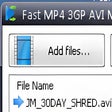
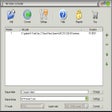
Conversion starts by adding one or more files, then picking an output format or device-style preset. The interface keeps settings close to the basics, so most users can export quickly without learning codec jargon. Batch conversion is useful for processing a folder of clips in one pass, especially when preparing the same output type for multiple videos with consistent results.
Simple conversion that stays out of the way
Hamster Free Video Converter favors speed over deep tuning. Basic options like resolution and quality targets can help shrink files for sharing, but advanced encoder controls are limited compared with specialist converters. Editing stays lightweight, covering simple changes rather than full timeline work. Users who need precise compression, filters, or format troubleshooting often outgrow this streamlined approach for demanding projects.
The program’s strength is convenience: a clear workflow, presets, and batch handling can get conversions done with little setup. The design looks dated, and the feature set stays narrow, so it does not replace a full editor or a power-user transcoder. For quick format changes and simple exports, it fits best as a utility. Help text stays limited for beginners.
Best for simple conversions, not editing
Hamster Free Video Converter works best for people who want a free way to convert videos without digging into technical settings. Presets and batch processing support fast turnarounds, and common formats cover everyday sharing needs. Limited editing and shallow encoder control make it a weak fit for creators who fine-tune quality or cut footage inside the same tool. If simple conversion is the priority, this utility does the job. Keep an editor ready when a project needs trimming and polish.
Pros
- Free, easy-to-follow conversion workflow
- Presets and batch conversion save time
Cons
- Limited editing tools
- Limited encoder control for advanced users