
Legacy PC Cleanup Utility for Basic Maintenance
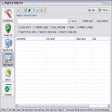
CleanMyPC, developed by MacPaw Inc., delivers a targeted PC cleanup tool designed to remove unnecessary files and streamline basic maintenance tasks. As a paid utility now considered a legacy product, it focuses on clearing temporary files, caches, and other clutter through selective cleaning options. Its straightforward design supports users who want simple junk file removal features without complex configuration.
CleanMyPC allows users to selectively delete files such as temporary data, caches, and unused components, offering a clear and customizable approach to cleanup. It also supports clearing “Most Recent” lists in programs like Excel and Word, which can help reduce visible history for shared devices. While the ability to remove language files adds flexibility, users are encouraged to review selections carefully to avoid removing items needed by certain applications. These focused tools serve as a practical advantage for everyday disk maintenance.
Tailored Cleaning with Fine-Grained Control
Safe and Transparent Performance Management
The software uses a built-in Safety Database to guide scanning and help prevent accidental deletion of essential system files. The integrated uninstaller module enables more thorough app removal by targeting leftover folders and registry traces, supporting cleaner program management. Although CleanMyPC is no longer actively developed, its simple layout and predictable behavior contribute to a stable experience for standard cleanup tasks, with its ease of use being one of its strengths.
Streamlined Compatibility and User Experience
CleanMyPC is last officially supported on Windows 10, operating as a legacy solution following the end of development and updates. Its clear interface remains accessible for users who prefer lightweight, traditional system optimization tools. However, the lack of ongoing support means compatibility with newer systems is not guaranteed, and certain features may not align with modern optimization expectations. Its feature set remains focused on core cleanup without expanding into broader utility categories.
Focused and Effective Maintenance Solution
CleanMyPC offers practical tools for freeing disk space and removing everyday clutter through controlled cleanup modules. While its discontinued status and limited compatibility reduce its relevance for modern systems, it still provides a straightforward option for users who need simple maintenance features on older Windows devices. Careful use of its selective cleaning options ensures users can benefit from its functionality without affecting essential application files.
Pros
- Simple interface with practical cleanup tools
- Uninstaller module helps remove leftover app traces
Cons
- Discontinued with no support for newer systems
- Limited features compared to modern optimization tools