
Comprehensive Windows PC optimization suite
Auslogics BoostSpeed, developed by Auslogics Labs Pty Ltd, is a suite of tools designed to optimize and maintain Windows PCs. It includes features for cleaning junk files, removing invalid registry entries, erasing privacy traces, freeing up disk space, optimizing HDDs and SSDs, managing startup programs, and improving overall system performance. The software is available in a Free (trial) version with limited repair functionality and a Pro version that unlocks full access to all optimization and maintenance tools.
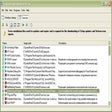
BoostSpeed performs a comprehensive PC health check to identify junk files, performance-reducing issues, and possible causes of system or application glitches and crashes. After analyzing the system, it presents the detected issues so users can review and resolve them.
PC health check and cleanup features
The software also supports scheduled automatic maintenance, allowing users to run regular scans and cleanups without manual intervention. Its interface provides organized access to various optimization, cleanup, and maintenance tools, making it easy to manage different aspects of PC performance from a single dashboard.
Core optimization and maintenance tools
Beyond its PC health check, BoostSpeed provides a collection of tools aimed at improving overall system efficiency. Its cleanup features remove temporary files, cache, logs, and other unnecessary data to free up disk space. The registry cleaner helps eliminate invalid or corrupt entries that may contribute to system instability, while startup management allows users to disable unnecessary applications that slow down boot times.
For storage performance, BoostSpeed supports both HDD defragmentation and SSD optimization using drive-appropriate methods. The suite also includes privacy tools that remove traces of user activity and an Internet Optimizer that offers options for adjusting network settings. These features provide a centralized approach to maintaining system performance and responsiveness.
Smart maintenance software for Windows PCs
Auslogics BoostSpeed provides a structured and comprehensive approach to Windows PC maintenance. With tools for system cleanup, registry repair, startup management, disk optimization, privacy protection, and hardware monitoring, it offers a centralized solution for improving overall performance and stability. Overall, BoostSpeed positions itself as a practical utility for users looking to maintain system responsiveness, free up storage space, and streamline routine PC maintenance.
Pros
- Comprehensive system optimization tools
- Effective disk cleanup features
- Performance improvement utilities
- Built-in privacy protection tools
- Startup management functionality
- Automated maintenance options
- Multiple optimization features in one suite
Cons
- Windows-only compatibility