
Installed through our safe & fast downloader ()
Filehippo

Safe shield iconSafe Downloader

The Safe Downloader downloads the app quickly and securely via FileHippo’s high-speed server, so that a trustworthy origin is ensured.
In addition to virus scans, our editors manually check each download for you.

Advantages of the Safe Downloader

  • Malware protection informs you if your download has installed additional unwanted software.
  • Discover additional software: Test new software that are waiting to be discovered in the downloader.
  • With us you have the choice to accept or skip additional software installs.

Editors' Review · February 14, 2025

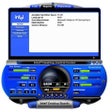
Thilmera7 is a small app that is designed to help you keep a close eye on your system performance, by monitoring various components of your computer's hardware configuration.

As it's a real-time monitoring app, as soon as you run it, it will provide detailed information about your computer’s memory, drives, network, CPU, GPU, processes, and sound card etc.

Thilmera7’s main window displays all the main functions of your computer. The default settings can be a little hard on the eyes, but fortunately it can be customized in terms of window size, displayed font, colors and style to make the app easier to work with. The ability to issue hotkey commands, which can toggle or remove various datasets from the main window is a good customizable feature. If you do have any issues configuring Thilmera7, then it does come with a wizard to help you along.

Overall, Thilmera7 is ok at what is does; showing you all the main component details of your system, in real-time. The downside is the clunky interface. However, if you want to spend some time trying to tweak it, then it isn’t that hard to work with. There are many other system monitoring apps available on the market that do just as well, but are a little easier to navigate.


Enlarged image for Thilmera7
Thilmera7 0/1

Technical

Title
Thilmera7 0b183-rev.7 for Windows
Requirements
Windows 11
License
Free
Latest update
Author
Tsuruki Sasato
SHA-1
4231557c016680a565e1c51feec6a9569e73c91b
Filename
thilmera7.zip

Program available in other languages


Added setting for anti-aliasing to CPU tachometer.Add a tachometer to network I / O.Changed the maximum value of the IO series to change from the maximum value in the graph to the past maximum value and use the logarithm to calculate the ratio.You can reset the maximum value from the property.Because the temperature rises by + 50 ° C from the Ryzen 2xxx system of AMD very much, the option to -49 is added.However, even if it is adjustable, please report it when it is + 50 ? higher.Change the offset from 50 to 49 because the temperature of the Ryzen 2xxx series of AMD is likely to be49°C difference rather than 50°C difference.Fixed a bug that occasionally the judgment that the setting file can not be written when the HDD etc is under high load, may not start up.Fixed some security vulnerabilities.

Can you help?

If you have any changelog info you can share with us, we’d love to hear from you! Head over to our Contact page and let us know.

Explore apps

Related software

Last updated