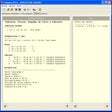
Stock It Easy for Windows
- By juste-un-clic-sprl
- Trial version
- 7.21.16
Related software

Canva
User-friendly design platform with powerful tools
Inventoria
Tracking stock levels and managing inventory processes has been made very simple thanks to the NCH Inventoria Stock Manager. The handy piece of software allows the user to receive real-time reports that are incredibly straight-forward to understand and act upon. Operating on Windows, it also gives the user the chance to manage supply, receive stock by order or separately and transfer stock between locations. Through NCH Inventoria Stock Manager you can also view stock by level, category or location and make the most of its business and web integration. Key features include: Monitor stock levels, costs and averages with easy to create reports Simple and easy to use interface Transfer stick between locations with just a few clicks Set low level stock warnings so you know when to reorder Create purchase orders and email them directly to your vendors Add URLs, notes and photos to item descriptions Scan in barcodes Restrict user access and powers – when used with web interface When the software claims to manage stock it really lives up to its promise. You can maintain a large database of suppliers and customers, as well as be able to group common items into categories. Aside from the above key features you are also able to set up recurring orders and have them sent out automatically. There is also the chance for you to observe the product history when items have been received or sold. Multiple users will be able to access this data through a web interface with just one single installation, say NCH. Overall the NCH Inventoria Stock Manager allows the installer the chance to clear up and consolidate their business affairs without too much stress. The professional stock management software facilitates the management of inventory in either one or as many as several locations.
Mi Unlock
Mi Unlock: A guide to unlocking your Xiaomi phone's potential
ezCheckPrinting
Print professional checks with ezCheckPrinting
Clipchamp - Video Editor
Streamlined video editing for everyone
Shutterstock
Shutterstock - Stock Photos For PC

Inventoria Professional Stock Control
Inventoria Professional Stock Control is exactly what it says it is. The software squarely aimed at professionals who need a stock management software for the Windows platform that allows them to manage inventory in one or several locations with minimum hassle and maximum results. The key to Inventoria resides both in its accuracy and attention to detail and its profound adaptive capability and resource management. Inventoria can help manage your stock levels by categories, locations, and vendors. Key Features: Simple, easy to use interface. Set-up recurring orders and have them sent automatically. Transfer stock between locations with a few clicks. Have multiple users access the data via a web interface with just a single installation. Manage multiple company profiles within the application. Inventoria's interface is simple and ready to use, so every member of staff can use it and become expert in a relatively short time frame. Auditing and reporting features come as standard and are easy to access and utilise. As you'd expect Inventoria also comes with "Just in Time" inventory management controls, and transferring stock between locations or departments can be done with just a few clicks. Of course, the software in fully compatible with a range of databases and you can also group items into categories and sub-categories as you need and require. The program also comes with fully prepped and ready with purchase order and invoice management controls. Inventoria also comes with the ability to easily set ideal quantity levels and create warnings when stock drops below certain levels. Multiple users can also have access to the same data at the same time in remote locations via a web interface with just a single installation. The program also lets you manage multiple company profiles within the application. Security is also tight. MAPI or SMTP email send settings include Secure Socket Layer (SSL). Overall, Inventoria Professional Stock Control is a well-designed and well thought out piece of software that should work for anyone who chooses it. The people behind Inventoria have a reputation and a long history of releasing quality, well designed software. NCH Software is a leader in audio, video, telephony, dictation, business, and computer utility software solutions for Windows, Palm, Pocket PC and Mac OS X. NCH has released over 100 products since 1993 and continues to receive awards for software excellence.
Retail Man POS
Transform your PC into a powerful point of sale terminal

Wallpaper Studio 10
Personalize your computer and smart devices with the best wallpapers

Panda Dome Complete
Panda Dome Complete has replaced Panda Global Protection. This new, up-to-date security solution now comes packed with new features and tools that gives you both an easy-to-use and intuitive interface, and solid protection for your computer. Once installed you can forget about viruses, spyware, rootkits, hackers and online fraud. With Panda Dome Essential you can enjoy real-time protection against the latest malware threats plus security for your Android devices. With Panda Dome Complete you can shop and browse online safely. Thanks to its new real-time protection technology, the new 'Panda Global Protection' is safer, faster and more complete than ever before. With it, you can share photos and videos, shop and bank online, read your favorite blogs or simply browse the Web with complete peace of mind and without interruption. If you want to configure Panda Dome Complete, rather than the stock configuration that comes as standard, then you can. The app allows you to start your computer in safe mode and disinfect it in critical situations. Key Feature include: Antivirus protects against virus, ransomware, and malware. Firewall ensures safety from hackers. Safe Browsing protects users while browsing the Internet. Process Monitor analyzes your system background processes. VPN allow users to securely access data remotely through public networks. Parental Controls configure what your children have access to online. Data protection and password manager ensures all your passwords are kept safe. Device location, tuneup and remote control keeps all your portable devices in sight and secure. Panda Dome Complete comes with all the features previously mentioned, along with others that are designed to help you guard your privacy. It lets you back up and store data securely and manage passwords. You can also secure your files against ransomware attacks or, if you choose, delete them without the possibility of recovery. The in-built interface features tabs that can be accessed from the single main window. Panda Security's Cloud Technology provides an intelligent protection system based on a user community where everyone contributes. Your computer will always be up-to-date and fully protected. Panda Dome Complete lets you enjoy a new, more modern and intuitive user experience that is more aligned with that provided by the latest operating systems and platforms. The great thing about Panda Dome Advanced is that you don't have to be an expert to use it; it does everything for you. Simply install it and forget about viruses and other threats. Panda Dome Complete is not just a simple antivirus, but a comprehensive security suit, which can keep your files safe, block access to dangerous websites, safeguard your privacy and ensure your PC is running smoothly.
Airline Manager 4
Airline Manager 4 Review - Trophy Games ApS
ICEBERGO
ICEBERGO: Inventory based Accounting and Billing Software for Free Download