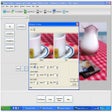

RAPTOR makes algorithm learning more visual
RAPTOR - Flowchart Interpreter takes a visual approach to programming, replacing much of the syntax found in traditional languages with flowchart elements. RAPTOR is particularly useful for learning because programs can be created and executed visually, helping beginners follow an algorithm without becoming overwhelmed by language syntax.
RAPTOR - Flowchart Interpreter is also practical for introductory programming and teaching. RAPTOR keeps attention on logic, variables, procedures, and control structures, while execution tracing shows how a diagram behaves. That makes the program a focused choice for classrooms, self-study, and learners building confidence with programming fundamentals.
The biggest strength is its focus on visual logic, making programming concepts easier to inspect and understand. Flowcharts can be run step by step, allowing learners to follow execution and observe variable changes as they happen. Novice and Intermediate modes provide room to progress, while Windows users can also access Object-Oriented mode. This makes the learning curve feel more manageable for beginners and early learners.
A practical flowchart tool for beginners
RAPTOR - Flowchart Interpreter supports procedures, parameter passing, recursion, arrays, and other core programming concepts, so it offers more depth than a basic diagramming utility. It can also compile flowcharts, although compiled programs lose interactive execution and variable-watching features. Helpful handouts and tutorials further support teaching. However, learners seeking conventional source-code development may find its flowchart-centered workflow limiting. This is a real trade-off.
For teaching and training, the program works best when the goal is understanding algorithms rather than learning a mainstream language. The Avalonia edition supports Windows, Mac, and Linux, and adds international variable names. There are limitations: Avalonia currently offers Intermediate mode rather than Object-Oriented mode, and Windows-only RAPTOR cannot open Avalonia files, requiring care when switching between editions for instructors and students alike.
A focused choice for learning logic
RAPTOR - Flowchart Interpreter is a useful choice for learners who need to understand programming logic before tackling heavier syntax. Its visual execution, educational resources, and learning modes make it approachable, while cross-platform availability adds flexibility. Still, edition differences and its specialized workflow make it better suited to introductory programming than general-purpose software development. It earns a cautious recommendation for students seeking a structured, visual, and accessible introduction to programming.
Pros
- Visual execution tracing
- Beginner-friendly flowcharts
- Teaching resources
- Cross-platform Avalonia edition
Cons
- Limited mainstream language workflow
- Edition compatibility differences
- No OO mode in Avalonia
- Requires .NET Runtime