
PhraseExpress, the Text Expander for Windows, helps you to speed up your typing tasks in any editor by saving lots of keystrokes. It is ideal for people who are continually typing the same things over and over, reducing the time spent typing and minimizing spelling mistakes.
Top Recommended Alternative

- Expanding text abbreviations into full text snippets as you type
- Insert text system-wide in any Windows application such as MS Office, Lotus Notes, SAP, Thunderbird, database frontends, Skype, MSN, ICQ, Opera, Firefox, InternetExplorer, etc.
- Insert text by selecting from the task tray menu, a popup menu next to the cursor, hotkeys, autotext or floating menus
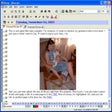
- Text snippets can include text formatting and bitmap images
- Automatic recognition of repetitive text input in order to offer an auto-completion of full sentences on demand
- Includes a system-wide spelling correction with more than 10,000 corrections in seven languages
- Detection of often corrected typos in order to automatically add spelling corrections to a database
- Keeps recently copied clipboard contents for quick access and insertion into any application
- Launch programs simply by entering a text shortcut
- Manage your email signatures templates for use in any mail program
- etc.
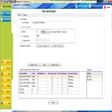
The additional PhraseExpress Network Edition allows you to share text templates from a central phrase file in a network environment. The Client Manager shows all connected PhraseExpress clients and allows to configure general editing and configuration permissions.