
Diagramming made easier with smart shapes
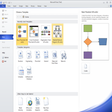
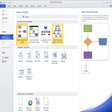
Microsoft Visio helps teams turn processes into diagrams that others can follow. It ships with ready-made templates and shape libraries for flowcharts, network maps, org charts, and more, so you start with structure instead of a blank page. It’s a quick way to document systems and plan changes for audits.
Microsoft Visio also supports data-linked diagrams, so shapes can carry fields and stay tied to source information as inputs change. Sharing stays practical with real-time co-authoring, letting multiple people refine the same diagram without emailing copies. The result is diagramming that stays readable under change.
Microsoft Visio keeps diagram building fast by snapping shapes into place with Auto Align and Space, so complex flows stay clean as they grow. When a process starts in a spreadsheet, Data Visualizer can turn structured rows into an initial diagram, then you refine logic and labels. It supports both quick sketches and formal documentation, though the best results come from consistent naming and a clear diagram scope.
Creating diagrams that stay consistent at scale
For day-to-day work, navigation stays predictable: search for a stencil, drop shapes, connect them, then standardize formatting across pages. Larger diagrams can get heavy when packed with connectors and data fields, but sensible grouping and reuse of sub-diagrams keeps edits responsive. If a team needs lighter diagramming, Lucidchart or diagrams.net may be enough, while draw.io-style tools trade depth for speed.
Once diagrams need to reflect reality, Shape data helps store IDs, owners, or status directly on elements so reviews don’t rely on memory. Updated libraries like AWS and Azure stencils make it easier to map cloud setups without inventing icons. Exports stay shareable for reviews and tickets, but governance matters — locking templates and enforcing standards prevents diagram sprawl across large environments during design reviews and change windows.
Diagramming that scales with real work
Microsoft Visio is a strong fit for teams that need diagrams to stay accurate as systems evolve. Templates and shape libraries speed up creation, while data links and co-authoring help keep shared documentation current. It works best when standards are enforced and diagrams are scoped to real workflows, not endless canvases. For IT mapping, process documentation, and architecture planning, it’s an easy recommendation.
Pros
- Speeds up diagram creation with structured starting points
- Keeps shared documentation easier to maintain over time
- Supports clean layouts as diagrams grow
Cons
- Large, dense diagrams can feel heavier to edit
- Results depend on consistent naming and diagram standards
- Some teams may prefer lighter tools for basic diagramming