
Portable folder sync that stays in your control
FreeFileSync Portable, developed by ZenJu, is a free, open-source file synchronization software that runs without installation. It’s built for comparing folders and syncing changes between locations, which makes it useful for keeping an external drive, a backup folder, or a second PC in step with your main files. The biggest benefit is portability from a USB drive. The trade-off is that it focuses on folder sync, not full system imaging or cloud storage.
FreeFileSync Portable compares two folders and highlights differences before anything gets copied or deleted. It can match files using size and modification date or a content-based comparison for stricter checks. Sync modes like mirror-style backups and two-way updates help cover common workflows, and a clear preview reduces accidental overwrites, which is a major pro when working with large collections. A realistic con is a learning curve, since choosing the wrong sync mode can cause unintended deletions.
Simplify file management with precise synchronization
Limited integration and user experience details
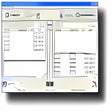
FreeFileSync is not a cloud service, but it can sync to network locations and remote endpoints depending on the setup, which helps users who keep backups on shared storage. The interface centers on side-by-side folder views, color-coded differences, and an action list that shows what changes are about to happen. That transparency is a pro for control and auditing. The downside is that it stays technical, so first-time users can find the terminology and filtering rules less friendly than “one-click backup” tools.
System and technical requirements not specified
FreeFileSync Portable runs on Windows and is designed to be lightweight for everyday sync tasks. Official documentation typically lists supported Windows versions and release notes rather than heavy hardware requirements, since the workload depends more on the number and size of files being compared. Updates are available through the project’s release cycle, and there is also a Donation Edition that adds convenience features for supporters. A practical limitation is that portability also means manual updates and no automatic system integration.
Focused and effective
FreeFileSync Portable delivers what it promises: reliable folder comparison and two-way sync without forcing an install. It suits users who want direct control over what changes during a backup or transfer, especially when working across removable drives or multiple PCs. The strongest advantages are the preview-driven workflow and flexible sync modes. The main drawbacks are the technical feel and the need to configure sync settings carefully.
Pros
- Free, open-source folder synchronization tool with a clear preview before syncing
- Portable design works well for USB-based backups and multi-PC workflows
Cons
- Sync modes and filters take time to learn and require careful setup
- Focuses on folder sync, not disk imaging or cloud backup storage