
Easy cryptocurrency mining for everyday computers
Cudo Miner is a cryptocurrency mining software designed to let users put unused CPU and GPU resources toward mining. It aims to simplify the process for people who may not want to manage every technical setting themselves. For users interested in cryptocurrency mining, it provides an accessible way to experiment with using existing computer hardware.
The software includes automatic coin switching, which can change the mining workload based on profitability. Idle mining can also let the software mine when the computer is not being actively used. Cudo Miner is free to download and use, with fees applied to mining activity.
Simple controls for automated cryptocurrency mining
Cudo Miner focuses on making mining easier through automatic mining optimization, which evaluates available opportunities and adjusts the workload accordingly. Users can dedicate CPU or GPU resources without manually switching between different mining options. This reduces the amount of technical work involved and can make the software more approachable for beginners who want to explore cryptocurrency mining using existing hardware.
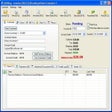
The software also provides hardware performance monitoring, giving users information about mining activity and system resources. Mining controls let users adjust how much processing power is available for the workload, helping balance mining with normal computer use. Its background mining feature can remain inactive while the system is busy and use available resources when the computer is idle, reducing interference with everyday tasks.
One advantage is the ability to receive payouts in supported cryptocurrencies while letting the software handle much of the mining process. However, mining can still increase hardware usage, power consumption, heat, and wear, so users should consider their equipment and electricity costs. Alternatives such as NiceHash or Kryptex provide useful comparison points, while this software remains focused on automated mining and simpler resource management.
Accessible tools for automated crypto mining
Cudo Miner provides an approachable way to explore cryptocurrency mining without requiring users to manage every technical detail manually. Automatic switching, idle mining, hardware monitoring, and adjustable resource controls make the software easier to manage than a fully manual setup. However, mining can affect power use and hardware workload, so users should consider those factors carefully. For people interested in automated mining, it offers a practical starting point.
Pros
- Free to download and use
- Automates coin switching
- Supports CPU and GPU mining
- Can mine while the computer is idle
Cons
- Mining increases hardware usage
- Can increase electricity consumption
- May generate additional heat
- Mining profitability can vary