
Efficient and customizable torrent management
Deluge BitTorrent Client, developed by the Deluge Team, is a lightweight, ad-free BitTorrent client. Licensed under the GNU GPLv3+, its open-source nature ensures transparency and security, making it a reliable choice for users who want to avoid bundled software or intrusive background services.
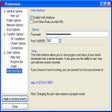
Built in Python using the libtorrent library, Deluge offers three distinct interfaces: a GTK desktop client, a command-line interface (CLI), and a web UI. This variety allows the client to function across different environments based on user preference. The software also features a modular plugin system accessible via the Preferences menu, where users can enable and update plugins to extend the client’s core capabilities. Once activated, these plugins appear in a dedicated side panel, allowing for a highly tailored workflow. Users should note that some standard features must be added manually via plugins rather than being native upon installation.
Flexible interfaces and plugin support enhance usability
Streamlined download management for better control
Deluge simplifies torrent handling with a straightforward interface. When adding a torrent, a confirmation window appears before the download begins. The main UI displays real-time upload and download speeds, while a tabbed section at the bottom organizes information into Details, Files, Peers, and Options.
Active trackers are listed in a side panel to provide transparency regarding swarm connectivity. Essential controls, such as pause and resume, are accessible via the icon bar or context menu. Users can also manage download priority using simple reordering buttons. The Preferences menu provides granular control over bandwidth, proxies, and daemons. Deluge supports modern BitTorrent protocols, including DHT and Local Peer Discovery, NAT-PMP and UPnP, Peer Exchange and Protocol Encryption, and Web Seeds.
A balanced choice with notable flexibility
Deluge is a secure, cross-platform solution for users who prioritize customization. While it relies on plugins to supplement some features that other clients might include natively, this modular approach keeps the base program lightweight and adaptable. Overall, Deluge presents a solid, customizable option for those prioritizing security and adaptability in their torrent client.
Pros
- Ad-free and open-source
- Multiple interfaces
- Highly customizable
- Protocol support
Cons
- Plugin dependency