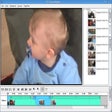
Vivia for Windows
- By Vivia-video
- Free
- 0.1.1
Related software
Tomb Raider IV-VI Remastered
Revitalizing Classic Adventures in High Definition

Betterified VI: Bestified
Dynamic Action Awaits in Betterified VI: Bestified

Might and Magic VI: The Mandate of Heaven
Exploring the Depths of Might and Magic VI

Mozilla Thunderbird ESR vi
Mozilla Thunderbird ESR: A Reliable Email Client

War Thunder
An Immersive Military Action Experience

Vim
Vim is an advanced text editor, which harvests the power of Unix' editor 'Vi', albeit with an enhanced feature set. It is highly configurable, and has been designed to enable efficient text editing, much like 'Vi'. Key features include: Vim offers syntax highlighting for over 200 languages. Edit-Compile-Fix. Highlighting Matches. Highly configurable. Vim is not just for programmers though; it can be configured to work in a very simple manner called Easy Vim or eVim. Vim is not a word processor, but it can display text with various forms of highlighting and formatting. Vim is a perfect tool for all kinds of text editing, from composing email to editing configuration files. With Vim you can edit very effectively. The most often used commands are just a single key stroke. To allow for this, you need to start Insert mode to enter text and return to Normal mode to execute commands. This is advantageous in that you can keep your hands on the keyboard and work very fast. The learning curve isn't that steep and if you are used to other 'in-depth' editors then Vim maybe what you are looking for. However, if you really don't have time to learn the effective way of editing, there is the Easy Vim option. Looking for the Mac version of Vim? Download Here
Ys VI: The Ark of Napishtim
The legendary origins of RPG actions

7 Wonders 2
Civilisation building across ancient eras

SOULCALIBUR VI
An Engaging Revival of a Classic Fighting Game

Soft4Boost Split Movie
Soft4Boost Split Movie is a video editing package that can easily and quickly cut unwanted scenes out of your movies without any need to re-encode the file. With it you can split and delete unnecessary scenes, edit audio directly in the video, and change scene sequence in MPEG, AVI, DVD, and Blu-ray formats. Key features include: Easy to use. Range of supported formats include: AVI, VOB, MP4, DVD, Blu-ray, WMV, 3GP, FLV, TS, DVR-MS, MOV, MKV. Multi-language support. Soft4Boost Split Movie's layout is easy to understand and the editing features of the application are quite varied, with you being able to undertake tasks such as adjusting the size, position and timeline of each added object, and you can shuffle parts or frames of your videos. If you just need to crop your footage at the beginning and the end, simply set the left and right markers to indicate where you want the video to start and end, and then edit it accordingly. Overall, Soft4Boost Split Movie is an easy to use video editor that has lots of features. The interface although basic, is fully functional; you are able to split video into chapters, and select between a number of different menu templates. Soft4Boost Split Movie supports a varied range of formats including VI, VOB, MP4, DVD, Blu-ray, WMV, 3GP, FLV, TS, DVR-MS, MOV, MKV. Soft4Boost Split Movie supports media from camcorders, video cameras and web cameras. You can also Burn your edited video files on to DVD- or Blu-ray discs

Rance VI: Collapse of Zeth
Engaging RPG Adventure with Complex Themes

Empire at War Expanded: Thrawn's Revenge
Transformative Star Wars Strategy Experience

ERROR143
Free romance visual novel