
Removing thumbs.db preview files
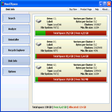
Thumbs Remover, developed by Xtreme-LAb, is a freeware tool designed to locate and remove thumbs.db preview files on PCs. These hidden files store thumbnail cache data, which can accumulate over time as folders are viewed in thumbnail mode. To help manage this buildup, the software scans selected drives or folders and identifies all detected thumbs.db files. Once the scan is complete, it presents the results to the user, who can then choose which files to delete.
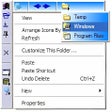
Thumbs Remover is designed as a straightforward and user-friendly tool, making it accessible even to those without advanced technical experience. Beyond its basic functionality, the software offers integration with the Windows File Explorer context menu, allowing users to access it directly by right-clicking on a folder or drive.
User-friendly design and convenience features
It also includes an option to enable or disable thumbs.db file creation on supported versions of Windows, giving users additional control over how thumbnail cache files are generated. The software is confirmed to run on Windows, although the developer does not provide details about support for other platforms.
Focused and effective disk space optimization
Thumbs Remover delivers a specialized function that can help Windows users maintain cleaner storage by removing accumulated thumbs.db thumbnail cache files. Its straightforward, user-oriented design makes it a practical option for those who want to eliminate these files without unnecessary complexity. By giving users more control over how thumbnail files are created, the tool supports smoother folder management and a more organized system.
Pros
- Easy-to-use interface
- Simple file cleanup
- Controls thumbnail creation
Cons
- Windows-only compatibility