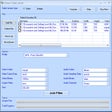

Advanced subtitle editing tool for video projects
Sayatoo SubtitleMaker 2 by Sayatoo Software provides a subtitle editing environment focused on accuracy and customization. The program supports 32-bit and 64-bit Windows systems including Windows 7 SP1, Windows 8, Windows 10, and Windows 11. It offers detailed subtitle timing controls and extensive style adjustment options, making it suitable for users who want precise control over subtitle appearance and effects.
The software enables users to manage subtitle timing with a high degree of control. Users can customize subtitles with a wide selection of fonts and styles, including options for text size, color, shadow effects, and rotation. These styling tools support clear and creative subtitle presentation. The software also allows users to import GIF images or image sequences into the background layers, which adds dynamic visual elements to subtitle projects.
Detailed subtitle editing and customization
Integration with popular video editors
Sayatoo SubtitleMaker 2 allows its output files to be imported into major video editing software such as Corel VideoStudio, Adobe Premiere, Adobe After Effects, Canopus Edius, and Sony Vegas. This capability enables users to incorporate their subtitle work into broader video production tasks. Information beyond these confirmed compatible editors is not documented by the developer.
Reliable and easy subtitle creation tool
Sayatoo SubtitleMaker 2 offers precise subtitle timing, extensive customization options, and compatibility with major video editing software through its export features. With its clear strengths in subtitle control and visual flexibility, it is a confident choice for users who need detailed subtitle management and reliable compatibility with third-party video editors.
Pros
- Easy subtitle customization
- Flexible timing controls
- Supports creative effects
- Works with major editors
Cons
- Windows system only