
Saving media made simpler
SaveFrom.net Helper, developed by UmmyVideoDownloader, serves as a streamlined tool for the immediate acquisition of digital media. The program functions as a browser-integrated assistant that simplifies the process of saving videos, audio, and images without requiring users to manually navigate to external conversion sites.
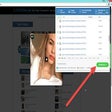
The program is able to integrate seamlessly with the visual design of supported websites. Once active, it scans the page for media elements and injects a dedicated Download button, that typically appears as a green arrow or a discrete link, next to the content. It acts as an invisible layer over the standard browsing experience, providing a one-click path to downloading content that is otherwise locked behind streaming protocols.
Download content in one-click
This integration eliminates the need for copying and pasting URLs into third-party interfaces, as the helper automatically identifies the media’s source and provides a direct download path. By operating within the context of the user’s active tab, it maintains the flow of the browsing session while offering instantaneous access to the site’s underlying files. However, some environments require additional extensions or bridge software to enable full functionality.
Formatting flexibility and quality selection
Beyond simply initiating a transfer, the helper provides users with a range of options regarding the final output of their media. When the download button is triggered, a dropdown menu typically appears, allowing the user to select their preferred file format and resolution. This includes standard definitions for smaller file sizes and high-definition options for superior visual clarity. For audio-focused content, the program can identify and extract the soundtrack as an MP3 file, providing metadata such as the bit rate and file size before the download begins.
Streamline media acquisition
SaveFrom.net Helper is a useful tool for users who want to maintain a permanent collection of online media. It simplifies media acquisition by embedding download buttons directly into the interface of supported websites, and allows users to choose between various resolutions and file formats, including high-definition video and MP3 audio.
Pros
- Instant one-click downlaods
- Flexible quality options
Cons
- Complex installation requirements





.png)