RAW to JPG for Windows
- By weconvert.net
- Free
- 1.0.4
Related software
VideoPad Video Editor
VideoPad Video Editor allows you to edit video from any camcorder, DV camcorder, VHS or webcam. You can import almost any video file format including avi, wmv, mpv and divx. VideoPad Video Editor has stacks of transitions and visual effects to choose from including chroma key green screen video production and 2D to 3D stereoscopic conversion. You can create files for DVD, HD, YouTube etc, or you can burn movies to DVD. The app allows you to create standalone video files to share online or put on portable devices. Key features: Drag and drop video clips for easy video editing. Apply effects/transitions/adjust video speed etc. Edit video from any camcorder. Create videos for DVD, HD, YouTube etc. VideoPad Video Editor also allows you to import and mix music tracks or make your own custom movie soundtrack with mixpad multi-track mixing software. You can even record your own narrations on top of your videos and use sound effects from the free Sound Effect Library. VideoPad Video Editor has a range of supported input formats for video, audio and still images, including:avi, mpeg, wmv, divX, Xvid, mpeg, mp4, mov, vob,ogm, H.264, RM, bmp, gif, jpg, png, tif, wav, mp3, m4a, mid, flac, aac, wma, au, aiff, ogg, raw, dvf, and vox. Supported output formats for video, audio and still images, include: DVD, CD, Blu-ray or HD-DVD, avi, wmv, mpg, 3gp, mp4, and mov.
HEIC Viewer, Print and Convert
The most powerful HEIC viewer on Windows
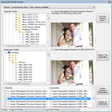
RAW Converter
An Overview of the RAW Converter
4DDiG File Repair
Comprehensive Repair Tool for Photos and Videos
Duplicate Photo Finder
Fast, minimalist solution for deleting duplicate photos
CR2 Converter
Canon CR2 Converter is a free converter for CR2 (Canon RAW version 2) images, it is able to convert your *.cr2 or *.crw image files to common image format, such as JPEG/JPG, GIF, BMP, BMP or TIFF format images. This app can support batch conversion, so you can add multiple digital photos at once, and convert them together. There are no complicated settings, no complex operation, this software is very simple and easy to use. If you are one of Canon SLR digital camera enthusiasts, this is a useful software for your daily essential, and it can help you easily solve the question like "cr2 to jpg" or similar needs. For information: CR2 is a digital photography RAW format created by Canon Inc., one raw image file can save all original image information without any image processing, so it is a excellent format for all professional photographers or photography fans. The RAW file need to retain all the details and information, so the file size is much larger than JPG/JPEG image file. For commercial filming or post-production, you should use the RAW image format.

Free Any Data Recovery
Free Any Data Recovery is a comprehensive data recovery solution to help you retrieve any accidentally deleted data from your hard drives and portable storage media. With Free Any Data Recovery you can retrieve documents, emails, photos, videos, audio files and more. The application supports numerous different formats and media. You can recover files from your computer and removable media storage such as external hard drives, USB drives, memory cards, digital cameras, and mobile phones. Key features include: 3 data recovery modes. Windows 8/7/Vista/XP Support. Easy to use interface. Preview lost files before you recover data. Recover all data. Supported formats include: Photo: JPG, PNG, RAW, GIF, JPEG, BMP, TIF, PCX, TIFF, TGA, EXIF, FPX, SVG, PSD, CDR, PCD, DXF, UFO, EPS, AI. Video: AVI, MOV, QT, MPG, MP4, FLV, WMV, RMVB, 3GP, SWF, MKV, RM, ASF, DIVX, MPEG, MPE, VOB, DAT, RA, RAM. Music: MP3, WMA, MID, OGG, WAV, AAC, M4A, APE, TTI, RA, AIF, AIFF, AU, VOC, MOD, S3M, MTM, FAR, KAR, IT. Document: DOC, XLS, PPT, ODT, ODS, PDF, DOCX, XLSX, PPTX, OLE, TXT, XML, CHM, PST, DBX, WPS, DPS, ET, ONE, MPP, MDB, ACCDB, PST. Archive: ZIP, RAR, GZIP, TAR, 7Z, ARJ, LZH, ACE, GZ, UUE, BZ2, JZR, ISO. Other Files: PCT, PDS, PFX, PLT, PRC, PRT, PSF, PST, PTB, PTF, PYC, PZF, PZH, QDF, QKT, R3D, RDC, REG, RES, RFP, RPM, RW2, RX2, ACE, ADO, ALS, AMD, AMR, ASL, SES, SIB. Overall, Free Any Data Recovery is great at recovering data held on almost any device you can think of, it has stacks of format support and can even recover data from corrupted devices too. The application is lightweight and the user interface is clean, fresh and uncluttered. Looking for the Mac version of Free Data Recovery? Download Here
Photo Editor
Photo editor with filters and batch tools
Pixillion Image Converter
Convert photos to any file format
Contenta RAW Converter
Contenta RAW Converter is a simple, yet powerful tool that can convert your RAW images. It also gives you the ability to rename and organize your photos in subfolders using EXIF/IPTC/XMP tags, and you can read RAW files and save them to jpg, jpeg2000, gif, png, tiff.Contenta RAW Converter also offers many useful and unexpected features in addition to its file conversion capabilities. The app’s interface is both sleek and intuitive, with buttons which explain clearly the conversion process. However, if you need, there is a thorough, well-written Help file available. You can can select individual files or entire directories to convert.Key Features include:Read RAW formats including RAW, NRW, RW2, RWL, DNG, CRW, CR2, ORF, MRW, THM, NEF, PEF, SRF, ARW, SRW, 3FR, ERF, KDC, SR2, RAF, X3F, DCR, DRF, MEF, MOS, PTX.Write to common formats including JPG, JPEG 2000 (JP2, J2K), GIF, PNG, TIFF, BMP, PPM, PDF.Batch conversion.Batch RAW processing (brightness, white balance, denoising)Preview quality and final file sizes.Reduce sizes for computer screens, web publishing, iPod, PSP.Share photos online and order prints in one click.Automatically rename using metadata.Optimized for multi-core processing.There are also other options available before you convert your files, such as adjusting brightness, color, and other aspects of your images. Once you have adjusted your images then the conversion process takes only a short time, as Contenta RAW Converter has been optimized for multi-core processors to help speed up your conversions by using as much of your CPU as possible.After you have converted your images, Contenta RAW Converter gives you the option to create PDF slideshows, save your images to various media or share them. The application lets you upload images to the Contenta’s server, where they can be viewed for up to a week by anyone that has access to the URL.Overall, Contenta RAW Converter is easy to use, has an intuitive interface and boasts some surprising post conversion options. It has support for numerous file types and the ability to batch convert your images along with renaming and organizing them, makes Contenta RAW Converter a good choice if you have lots of images that need converting.

VideoPad Masters Edition
VideoPad Masters Edition is a highly functional software from NCH. It allows you to edit video from any camcorder, DV camcorder, VHS or webcam, and you can import almost any video file format including avi, wmv, mpv and divx. VideoPad Masters Edition has stacks of transitions and visual effects to choose from including chroma key green screen video production and 2D to 3D stereoscopic conversion. You can create files for DVD, HD, YouTube etc, or you can burn movies to DVD. The app allows you to create standalone video files to share online or put on portable devices. Key features: Drag and drop video clips for easy video editing and quickly insert images into your movies. Apply effects/transitions/adjust video speed etc. Edit video from any camcorder. Green screen / chroma key overlay. Create videos for DVD, HD, YouTube etc. VideoPad Masters Edition also allows you to import and mix music tracks or make your own custom movie soundtrack with mixpad multi-track mixing software. You can even record your own narrations on top of your videos and use sound effects from the free Sound Effect Library. VideoPad Masters Edition has a range of supported input formats for video, audio and still images, including:avi, mpeg, wmv, divX, Xvid, mpeg, mp4, mov, vob,ogm, H.264, RM, bmp, gif, jpg, png, tif, wav, mp3, m4a, mid, flac, aac, wma, au, aiff, ogg, raw, dvf, and vox. Supported output formats for video, audio and still images, include: DVD, CD, Blu-ray or HD-DVD, avi, wmv, mpg, 3gp, mp4, and mov. Using VideoPad Masters Edition is easy to use and it makes your work look professional. You can choose from over 50 visual effects and transitions including chroma key or green screen technology.

Tenorshare 4DDiG
Free data recovery utility