Photo Slideshow Maker for Windows
- By NeSoft Inc.
- Trial version
- 1.0
Related software

Movavi Photo Slideshow Maker
Movavi Photo Slideshow Maker.
Photo Slideshow Maker
A Feature-Rich Slideshow Maker

Free Slideshow Maker
Best Free Slideshow Maker For Windows

Movie Maker & Video Editor for Windows
Accessible editing with creative tools
PhotoStage Free Photo Slideshow
Simple slideshow maker with export flexibility
Wedding Album Maker Gold
Remember your special day in style
Photo to Video Converter Free
Photo to Video Converter For Windows - Convert Photos to Videos in Minutes
PicturesToExe
PicturesToExe Review
Photo Slideshow Creator
Create beautiful slideshows quickly

AMS SmartSHOW 3D
SmartShow 3D from AMS Software Suite is a smart slideshow maker with professional capabilities. It will allow you to create brilliant photo movies, thanks to more than 150 transitions and over 200 unique effects and stylish 3D titles. That’s not all, you can add multiple music tracks and voiceovers too! After you’re finished, and happy with your design, you will then be able to export your product to more than 30 different video formats in HD quality. Key features include: Create animated slideshows. Add photos, videos, music and voice comments. More than 150 transitions. Over 200 unique animation effects. 550+ templates and effects Great usability, suitable for amateurs and professionals. Export to 30+ video formats (in HD quality). With this program you will be able to turn ordinary photos into Hollywood-style picture movies, according to the proud creators. Photography lovers can produce standout photo movies with no effort. So, it doesn’t matter if you’re an amateur or professional, you can get the most out of SmartShow 3D without worry. This product is always improving. Now you can choose from a collection of 350 plus side effects and animation collages. Use realistic slide effects – like snow, falling leaves, bubbles and many others – to give your video something different. Impressive glow effects – such as fire, sparkles, shapes and glowing text – are also available. Overall, SmartShow 3D’s developers have created something special here. They have combined pro-level tools and powerful capabilities with ease of use. So, even someone who is not particularly tech savvy will be able to easily create a superb piece of work using ready-made slide templates. That doesn’t mean professionals won’t enjoy it either though, there truly is something for everyone here.

Gilisoft Slideshow Maker
GiliSoft SlideShow Movie Creator is a simple and straightforward slideshow creation app. With it, you are able to combine your photos with music and transition effects, and transform them into movies/slideshows. Key Features include: Convert photos to HD slideshow videos. User friendly interface. Support all image formats. 2D/3D transition effects. Support various audio formats. The app has a good array of supported formats for importing your images, including .JPG, .JPEG, .BMP, .PNG, .TIF, .TIFF, .WEBB, .TGA, .WDP, .HDP, .JXR, .PEF, .DNG, .CRW, .NEF, .CR2, .MRW, .RW2, .ORF, .X3F, .ARW, .KDC, .NRW, .DCR, .SR2 and .RAF. GiliSoft SlideShow Movie Creator is a good way to edit and share your images. You can create standard, personalized photo slideshows by adding background music of your choice and adding some transitional effects between your images. You can also edit the way in which your images are displayed, by adjusting the orientation and display sequence etc. Once you have finished editing your images and sorting the sequence and adding titles and music etc, you can then create the slideshow video and save it in a variety of formats, including .AVI, .MPEG, .WMV, .DivX, .MP4, .H.264/AVC, .AVCHD, .MKV, .RM, .MOV, .XviD or .3GP. Overall, GiliSoft SlideShow Movie Creator is very simple to use and can be navigated by users of all levels of expertise. It is lightweight, has a standard, windows explorer style interface and it supports a range of image both image and video formats. The downside is that it doesn't have a large amount of choice when it comes to text and effects. But if you are just looking to put together some images into a basic slideshow, this isn't a bad option to consider. If, however you need something that looks more professional with a polished finish, the maybe you should consider something else?
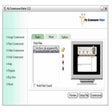
My Screensaver Maker
My Screensaver Maker - Creates Amazing Video Screensavers









